























Are you visiting WriteMail from outside your region?

Visit your German site for better experience.

Go to WriteMail German Language icon Continue to WriteMail English Language icon
Emails image

Write Better Emails 87% Faster

AI drafts that match your tone — clear, professional, never sounding like a bot.

Start Writing Free

No credit card required · Free forever plan

320k+ users

Trusted by professionals worldwide

50M+ emails

Generated and counting

750k+ hours

Saved on email writing

4.9

Average user rating

intro link
Enter the name you want to appear in your email's signature.
Your name

0 / 250

Specify the name of the person or organization you are writing to.
Receiver (Person or Company)

0 / 250

Clearly describe the goal or desired outcome of your email in a few words.
Choose a template
For best email results, provide only key points in any language:
- main point
- important point
- next points
- final point

The AI will use these to generate a complete email.

0 / 2000

Generate My Email with AI
Copied!
From your default email client Send Email
Copied!

WriteMail.ai values the privacy of users and takes steps to ensure that all generated messages never touch our server. Your personalized options are stored in a browser cookie rather than in our database.

Mail Assistant
New v2
WriteMail.ai's style switcher helps nail the right tone every time, whether you're writing a formal business email or a casual note to a friend.
Go Pro
Mail assistant is only available in our paid plans.
1

Writing emails shouldn't feel this hard

You stare at a blank email for 10 minutes, rewriting the same sentence over and over

You worry your emails sound too cold, too casual, or just... off

You spend hours on email when you should be doing actual work

You're not alone. 320,000+ professionals felt the same way — until they tried WriteMail.ai.

Logo

AI Email Drafting for Australian Businesses

Less time wrestling with email — more time on what your business actually does.

Drafts 87% Faster

Hand the AI a few key points and get a polished, send-ready email back in seconds. Knock the inbox over and get on with it.

Sounds Like You

Adjust tone, formality, and mood until the output reads exactly the way you'd write it. Casual when it should be, sharp when it needs to be.

30+ Languages, Native Quality

Compose or reply in any major language without bringing in a translator. Useful for export businesses and globally distributed teams.

Every Email Type Covered

Client outreach, supplier coordination, internal updates, customer support, recruiting — one tool, the right tone every time.

Privacy by Default

Drafts and personalisation settings never touch our servers. Your content is yours.

Lives Inside Your Inbox

The Chrome extension drops AI assistance directly into Gmail and Outlook. No tab-switching, no copy-paste.
Why wait to write better emails?
Get started for free and write professional emails 87% faster
  • AI-powered Email Generator
  • Emails That Sound Like You
  • Get More Email Replies
  • 30+ Languages Supported
advantages

AI Email Writer for Smarter and Faster Communication

Transform the way you write with an AI email writer that adapts to your style, improves clarity, and helps you send better messages in less time.

advantages

Professional Email AI Writer Designed for Business Needs

Our professional email AI writer supports teams, executives, and entrepreneurs by creating polished, context-aware emails that build trust and close deals.

advantages

Email Writing AI Tool That Delivers Results

From quick replies to detailed business proposals, this email writing AI tool ensures every message is clear, impactful, and aligned with your goals.

chrome-icon
Extension
Would you be interested in enhancing your Gmail, Outlook, and Hotmail with WriteMail.ai extension?
Logo

The Birth of WriteMail.ai

From Email Overwhelm to AI-Powered Efficiency

help-guides

I used to spend hours each day wrestling with emails. Every message felt like a high-stakes battle against typos, grammatical errors, and unclear phrasing.

I longed for a way to communicate effectively without the stress and time commitment of crafting perfect emails.

Then, the rise of AI sparked an idea. What if there was a tool that could help people like me write emails faster and more effectively?

A tool that could take care of the mechanics of writing, allowing users to focus on the message itself?

Background picture

That's how WriteMail.ai was born.

WriteMail.ai is designed to empower anyone who feels overwhelmed by email writing.

It leverages the power of AI to help you compose professional, grammatically correct emails in a fraction of the time.

Story picture

Join the growing base of WriteMail.ai users and experience the power of AI-powered email writing for yourself.

Compose emails with confidence

Never again worry about typos or grammatical errors undermining your professionalism.

Make a great first impression

Ensure your emails are always clear, concise, and impactful, leading to better communication and outcomes.

Focus on your message, not the mechanics

Spend less time agonizing over word choice and sentence structure, and more time on the purpose of your email.

Increase your email productivity

Respond to emails faster and clear your inbox quicker, freeing up time for other tasks.

WriteMail.ai is more than just an email tool; it's a communication revolution. It's about empowering people to connect effectively and efficiently, without the stress and time commitment of traditional email writing.
seamless-gmail

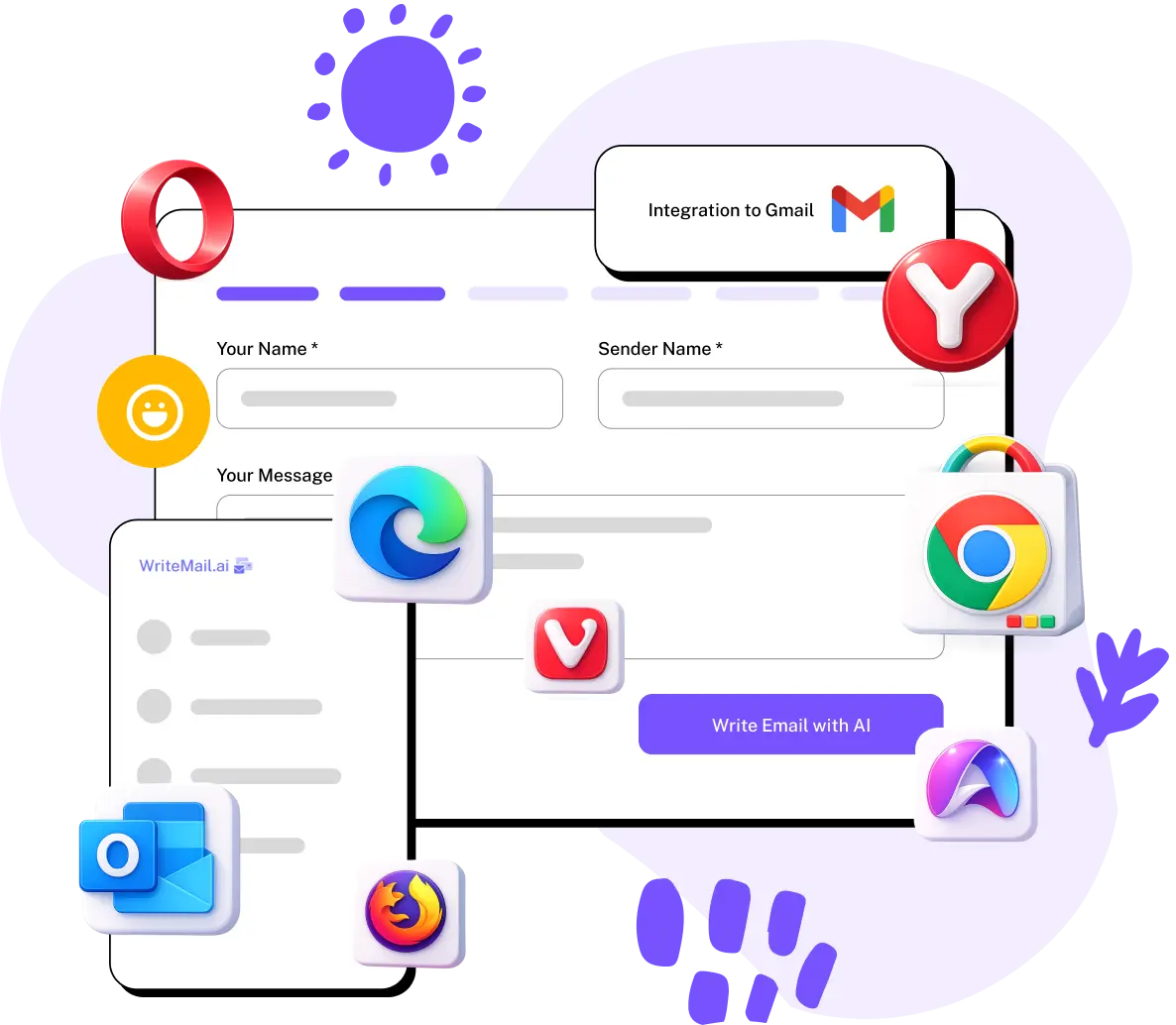
Seamless Gmail Integration with WriteMail.ai

Experience the ultimate ease of email writing with WriteMail.ai's Chrome extension for Gmail. Say goodbye to writer's block and hello to effortless email composition.

Generating replies and crafting new emails has never been simpler. With WriteMail.ai at your side, your Gmail inbox becomes a productivity powerhouse. Enjoy AI-powered email suggestions that adapt to your unique style, making email communication a breeze.

It's time to supercharge your Gmail experience with the perfect email writing companion: WriteMail.ai — Email Writing Effortless with AI.


Try it now
Trusted by Australian Businesses
From Sydney to Perth — Australian professionals use WriteMail.ai for fast, on-tone business communication.
320k+ Users
50M+ Emails Generated
750k+ Hours Saved
4.9 ★ Average Rating
As someone who writes dozens of emails every day, Writemail has been a lifesaver. It helps me respond quickly to customers while still sounding polite and professional. It saves me at least an hour a day, and my responses are now clearer and friendlier.
user
Rajesh Nair
Reviewed on August 29th, 2025
In real estate, communication is everything. I use Writemail to draft quick updates for clients, confirm viewings, and follow up after meetings. The tool keeps my messages concise but still professional, which is perfect since clients often skim emails on their phones.
user
Sofia Mendes
Reviewed on August 11th, 2025
I handle sensitive messages daily, from job offers to policy updates. Writemail helps me write emails that are clear, respectful, and professional. It takes the stress out of wording tricky messages, and I can focus more on people instead of rewriting drafts all day.
user
Daniel Kim
Reviewed on February 6th, 2025
I run a marketing agency in Sydney with clients across SE Asia and the US. The tone shift between casual local emails and formal pitches to overseas clients used to eat my mornings. Writemail nails both, fast.
user
Lachlan O'Connor
Reviewed on October 6th, 2025
Solo bookkeeper in Brisbane here — most of my day is replying to small business clients about invoices, BAS questions, and follow-ups. Writemail keeps my replies short and clear without sounding cold. Massive time saver.
user
Sarah Whitford
Reviewed on September 19th, 2025
Running a property management business in Melbourne, half my day was emails — to tenants, owners, tradies. Writemail handles the Aussie tone really well, casual but professional, and saves me 6+ hours a week.
user
Danielle Brennan
Reviewed on August 11th, 2025

Still not sure? We get it.

Here's why 320,000+ professionals trust WriteMail.ai

It sounds like you, not a robot

WriteMail.ai learns your tone, style, and preferences. Every email feels authentically yours — colleagues won't know the difference.

Your emails stay private

We never store or read your content. Your data is processed in real time and never saved on our servers. Period.

Try it free, cancel anytime

No credit card required. Start with the free plan and upgrade only when you're ready. No commitments, no tricks.

Background picture
Features
  • AI Mails per month
    Number of AI-generated emails you can create each month
  • Customization Options
    Personalize tone, style, length, and more to match your preferences
  • Generation Speed
    How quickly the AI produces your email content
  • Customer Support
    Access to assistance for any questions or issues you may have
  • Multilingual Support
    Write emails in multiple languages with AI assistance
  • Gmail Integration
    Seamlessly use WriteMail.ai within your Gmail account
  • Smart Mail Assistant
    AI-powered tool providing real-time suggestions to improve your emails
  • Email History & Reuse
    Access and repurpose your previously generated emails
  • One-Click Email Send
    Instantly send your AI-generated email through your default email client
  • API
    Use WriteMail features via our API for automated email generation
  • Multi-email login
    Log in with multiple email addresses under one account
  • icon
    Features
    AI-powered file naming and organization for a cleaner, smarter inbox
Free
  • 5
  • Basic
  • Standard
  • Basic
  • 5
Regular
  • 50
  • Basic
  • Standard
  • Basic
  • 10
Basic
  • 150
  • Standard
  • Fast
  • Basic
  • 20
Pro
  • 500
  • Advanced
  • Fastest
  • Priority
  • 30
Custom
  • Unlimited
  • Enterprise
  • Ultra Fast
  • Dedicated
  • All

What Is AI Email Writing?

AI email writing is the practice of using artificial intelligence to draft, refine, or personalise email messages. Rather than wrestling with a blank compose window, you describe the outcome — and a language model returns a polished message tuned to your context. The technology blends large language models trained on billions of real-world texts with natural language processing, producing output that reads naturally and matches the tone you ask for.

How AI Email Writers Work in Practice

An AI email writer takes whatever input you provide — a few bullet points, a rough thought, a thread you need to reply to — and produces a complete message. The model evaluates intent, audience, and contextual cues such as recipient role and conversation history, then generates phrasing, structure, and a sign-off that fits the goal. Tools like WriteMail.ai expose controls for mood, length, formality, and language so you stay in editorial control without typing a single sentence yourself.

Why Australian Teams Adopt It

Reclaim hours every week. Knowledge workers can spend up to 11 hours a week on email. AI cuts the drafting portion by up to 80%, freeing your team for the work that actually drives revenue.
Consistent quality and tone. Sales follow-up, support reply, internal note — the AI keeps every message clear, professional, and on-brand. No more rushed drafts undermining the message.
Beat writer's block instantly. Stuck on the right opener? Describe the goal in plain English and let the AI produce a working draft. The empty compose window stops being a blocker.
Cross language barriers. Compose in English, send in Mandarin, Japanese, Bahasa, or French — without bringing a translator into the loop. Useful for trade across the Asia-Pacific.
Fewer errors out the door. Models trained on professional communication produce noticeably fewer typos and ambiguous phrasings — fewer 'sorry, what I meant was' follow-ups.
Right inside your existing tools. No new app to learn. The browser extension lives inside Gmail and Outlook, so AI assistance is one click from your existing workflow.

Where Australian Professionals Use It

AI email writing has spread across virtually every Australian industry. Sales teams craft personalised outreach and follow-ups that convert. Customer support agents reply faster while keeping tone empathetic. Property managers, agents, and tradies use it to keep client communication on track. Freelancers and small business owners save hours on proposals, reminders, and supplier coordination. Even outside work, AI helps with messages people tend to overthink — refund requests, complaints, or thank-yous that have been sitting half-written for weeks.

AI email writing isn't about replacing your voice — it's about amplifying it. WriteMail.ai gives Australian professionals a strong head start on every message so you can communicate faster, clearer, and with more confidence.

WriteMail.ai: Frequently Asked Questions

We hope this FAQ section addresses your questions. If you have any further inquiries, please don't hesitate to contact us!

What does WriteMail.ai actually do?

WriteMail.ai turns short prompts into ready-to-send emails. You give it the goal — follow up with a client, push back on a supplier, reply to a tricky message — and the AI returns a polished draft. It's used widely across Australian SMBs, agencies, property managers, and consultancies for the daily email grind.

Was WriteMail.ai once free?

Early on, yes. As the user base grew, running fine-tuned language models for hundreds of thousands of users wasn't sustainable for free. Paid plans now cover ongoing model improvements, the Gmail/Outlook extension, and customer support. A free tier remains for casual use; paid plans unlock unlimited drafting, history, and priority access.

What if I hit the free daily limit?

If you're hitting the cap, the tool's clearly working for you. You can wait for the next reset or upgrade to Regular, Basic, or Pro for unlimited drafts, history, and the browser extension. Pricing is in USD with the rough AUD equivalent shown alongside the headline figure.

Why does generating an email take a few seconds?

Each request runs through a large language model that weighs your input, the desired tone, and contextual cues before producing a draft. That genuinely takes a few seconds. Latency rises slightly during global peak hours; the infrastructure team continuously tunes things to keep it tight.

Which kinds of emails benefit most?

It's used across nearly every business email category Australian professionals deal with:

  • Client outreach, follow-ups, and proposals
  • Tradie and supplier coordination
  • Customer support replies at volume
  • Recruiter outreach and candidate communications
  • Trans-Tasman correspondence with NZ counterparts
  • Day-to-day office communication where tone matters

If it's an email worth writing, the time you'd lose to the third draft is the time you save.

What's the AI Email Assistant feature?

It's a sidebar that surfaces suggestions while you're reading or writing — alternative subject lines, sharper openers, different tones, and follow-up ideas based on the thread. Useful when you're trying to land the right tone on a delicate reply or close out a long client thread.

How customisable is the output?

Plenty — the controls cover what actually matters:

  • Mood: confident, friendly, apologetic, urgent, more
  • Length: from a one-liner to a long-form proposal
  • Tone: formal, casual, persuasive, technical
  • Emoji support: off by default for business contexts
  • Language: Australian English defaults plus 30+ others
  • Write as: emulate a style — your own past emails or a target role
Why not just use ChatGPT?

You can — but it's general-purpose. WriteMail.ai is fine-tuned specifically for email patterns, with built-in tone controls and a workflow that lives inside the inbox. Most users get to the right output in one or two iterations rather than five, and the Gmail/Outlook extension removes the copy-paste step completely.

Is it suitable for business use?

Absolutely — that's the bulk of users. No restrictions on legitimate business correspondence, and the AI is tuned to produce content that meets professional expectations. Australian agencies, real estate offices, accounting firms, and consultancies use it daily.

How does it integrate with Gmail and Outlook?

Two ways:

  • Web app — generate the draft, hit 'Send Email' to open your default mail client with the body pre-filled.
  • Browser extension — AI assistance lives directly inside Gmail and Outlook.
  • Mobile — generate on the web, copy across, paste into your mobile mail app.

WriteMail.ai never sends emails on your behalf. You produce the draft; you stay in control of the send.

Does WriteMail.ai understand Australian English conventions?

Yes. The AI handles Australian spelling ('organise', 'colour', 'centre') and the relatively informal yet professional tone common in Australian business communication. You can adjust formality from casual to corporate depending on whether you're writing to a client, a colleague, or an overseas partner.

Is it useful for Australian SMBs and agencies?

Definitely. Australian SMBs in Sydney, Melbourne, and Brisbane use WriteMail.ai for client proposals, supplier negotiations, and team communication. It's particularly handy for solo operators and agencies juggling many client conversations across different tones and time zones.

What's the price in Australian dollars?

The Regular plan is $6.95/month USD, approximately A$10.80 depending on the exchange rate. Your card automatically handles conversion. GST is not added — the displayed price is the final amount.

We hope this FAQ section addresses your questions. If you have any further inquiries, please don't hesitate to contact us!

Stop burning hours on email — get back to running your business

Thousands of Australian professionals already write sharper emails in a fraction of the time.

  • Free forever plan — no credit card needed
  • Works in 30+ languages
  • Your data stays private, always
Start Writing Free

Set up in under 60 seconds — works with Gmail, Outlook and Apple Mail