


I was staring at a blank screen for 20 minutes trying to craft an important client email when I realized something had to change. Sound familiar? You’re not alone. The average professional spends 28% of their workday reading and answering emails – that’s nearly 2.6 hours each day lost to your inbox, according to McKinsey research.
If you’re like me, you’ve probably wondered if AI writing tools could help reclaim some of that time. But with so many options available, which one actually delivers results without sacrificing your personal voice?
That’s exactly why I spent the last month testing the three leading AI email assistants— Grammarly, Copy.ai, and Jasper—to find out which one truly deserves a place in your productivity arsenal.
What makes this comparison different? I didn’t just test these tools with standard emails. I challenged each AI with everything from delicate customer service responses to high-stakes sales pitches and complex technical explanations. I wanted to see which tool could handle the full spectrum of emails you actually need to write.
In this head-to-head comparison, you’ll discover:
• Which AI best preserves your authentic voice while improving your writing
• The surprising differences in how each tool handles tone adjustments
• Which platform saves you the most time (with actual measured results)
• Real cost-benefit analysis beyond just the monthly subscription price
• The specific types of emails where each tool outperforms the others
Whether you’re managing a busy inbox, struggling with writer’s block, or simply looking to polish your professional communication, choosing the right AI assistant can transform your email experience. Let’s dive into the strengths and limitations of each platform so you can make the choice that best fits your specific needs.
Grammarly: The Grammar and Clarity Champion
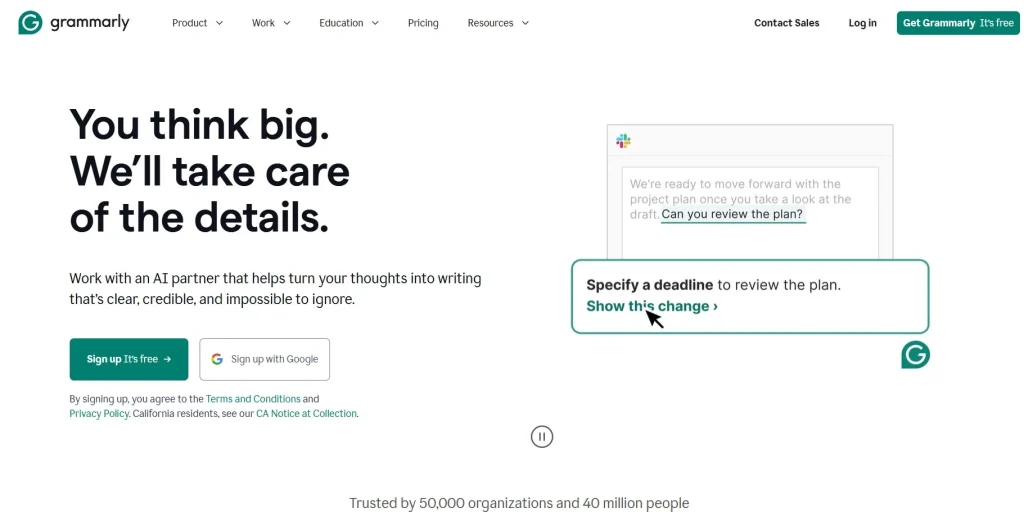
When you’re looking for a tool that excels in cleaning up your writing and enhancing clarity, Grammarly stands out as the undisputed champion. I’ve found that Grammarly functions as your personal editor, catching those embarrassing typos and grammatical errors that can undermine your professional credibility.
Core Features and Email Functionality
Grammarly’s approach to improving your emails goes far beyond basic spell-checking. The tool offers a comprehensive suite of features specifically designed to elevate your email communication:
- Real-time grammar and spelling correction: As you type, Grammarly identifies and suggests fixes for grammatical errors, misspellings, and punctuation issues.
- Tone detection and adjustment: One feature I particularly appreciate is how Grammarly analyzes your message’s tone and helps you adjust it to match your intended audience—whether you need to sound more confident, friendly, or formal.
- Clarity improvements: The platform identifies wordy or complex sentences and suggests more straightforward alternatives that make your message easier to understand.
- Engagement enhancements: Grammarly helps you avoid repetitive language and suggests more engaging alternatives to keep your reader’s attention.
- Browser extension and email integration: You can use Grammarly directly in Gmail, Outlook, and other email platforms through their browser extension, making it seamlessly integrated into your workflow.
What sets Grammarly apart for email writing specifically is its contextual understanding. The tool recognizes when you’re composing an email and provides suggestions tailored to email communication rather than applying generic writing rules.
Before and After: Grammarly in Action
Example: Grammarly Email Transformation
Quarterly Report Follow-up (Before Grammarly)
Project Manager Quarterly Report Follow-up (After Grammarly)
Notice how Grammarly corrected multiple spelling errors, fixed grammatical issues, and improved the overall clarity without changing the email’s core message or tone.
Grammarly offers a tiered pricing approach that gives you options based on your needs:
- Free plan: Includes basic grammar, spelling, and punctuation checks. This is sufficient if you’re looking for fundamental error correction.
- Grammarly Pro plan: Starting at $12/month (billed annually), you’ll get an access to tone adjustments, clarity suggestions, engagement improvements, and formality level settings—features I consider essential for professional email writing.
- Business plan: At approximately $15 per user per month, this tier adds team features, centralized billing, style guides, and brand tones, which are particularly valuable if you want consistent communication across your organization.
When you’re deciding which tier makes sense for you, consider how critical email communication is to your role. If you’re in a position where your emails represent your company to clients or stakeholders, the premium features often justify the cost through improved professional perception.
Limitations for Creative Email Generation
While Grammarly excels at improving what you’ve already written, it does have limitations you should be aware of:
- It won’t generate entire emails from scratch or create creative content based on minimal input.
- The tool focuses on improving existing text rather than suggesting alternative approaches to your communication strategy.
- You won’t find extensive template libraries or specialized frameworks for different email types.
- Grammarly can occasionally suggest overly formal alternatives that might not match your personal writing style.
Grammarly: Pros and Cons
- Exceptional grammar and spelling accuracy
- Strong tone detection and refinement
- Clarity and conciseness improvements
- Seamless email integration
- Ideal for non-native English speakers
- No full email generation from scratch
- Limited creative support
- Can suggest overly formal phrasing
- Not optimized for repetitive email workflows
- Less value for creative or persuasive writing
I’ve found that Grammarly works best when you already have a draft and need a second pair of eyes to refine it. If you’re staring at a blank screen and need help crafting an email from the beginning, you might find Grammarly’s capabilities limiting compared to content generation tools.
For professionals who write a high volume of similar emails, Grammarly’s lack of template generation and content creation features means you’ll still need to handle the creative aspects of email writing yourself. However, when it comes to ensuring that what you’ve written is grammatically perfect, clearly communicated, and appropriate in tone, Grammarly remains the tool to beat.
Copy.ai: The Creative Email Generation Powerhouse
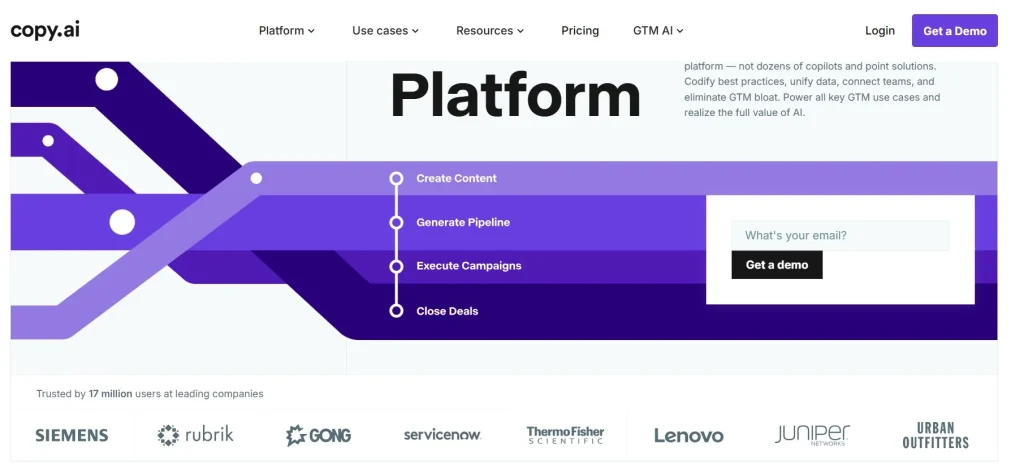
If Grammarly is your meticulous editor, Copy.ai is your idea generator and momentum builder. When you’re staring at a blank screen and don’t know how to start—or you need to write high-volume, persuasive emails quickly—Copy.ai steps in as a creative accelerator.
In my testing, Copy.ai proved especially strong in scenarios where speed and originality matter more than perfect grammar: sales outreach, marketing campaigns, follow-ups, and cold emails. It’s designed to help you create emails, not just refine them.
Core Features and Email Functionality
Here’s where it excels:
- Email generation from scratch
You can provide a few details—recipient type, goal, tone—and Copy.ai produces a complete email draft in seconds. - Strong creative tone options
Friendly, persuasive, enthusiastic, casual, or professional—Copy.ai adapts quickly, making it ideal for outreach and promotional messaging. - Extensive email template library
Includes cold outreach, follow-ups, re-engagement emails, promotions, onboarding messages, and more. - Rapid ideation and variation
Copy.ai can generate multiple versions of the same email, which is especially useful for A/B testing or avoiding repetitive phrasing. - Sales and marketing focus
Many of its templates are optimized specifically for conversion-driven communication.
What stood out most during my testing was how quickly Copy.ai could turn vague intent into a usable email. In situations where Grammarly leaves you staring at a blank page, Copy.ai gives you something concrete to work with almost instantly.
Example: Copy.ai Customer Service Response: Quick idea to save your team 5+ hours a week
This is where Copy.ai shines. The email is clear, engaging, and conversion-oriented—all created from a short prompt. While it may still benefit from a light grammar or tone polish, it gives you a strong starting point that dramatically reduces writing time.
Copy.ai: Pros & Cons
- Generates emails from scratch
- Strong creative tone and variation
- Extensive email templates
- Fast ideation and output
- Saves time on repetitive writing
- Grammar and polish are weaker
- Voice consistency can vary
- Less nuanced in sensitive communications
- Not optimized for long-term adaptation
- Creative quality depends on prompt detail
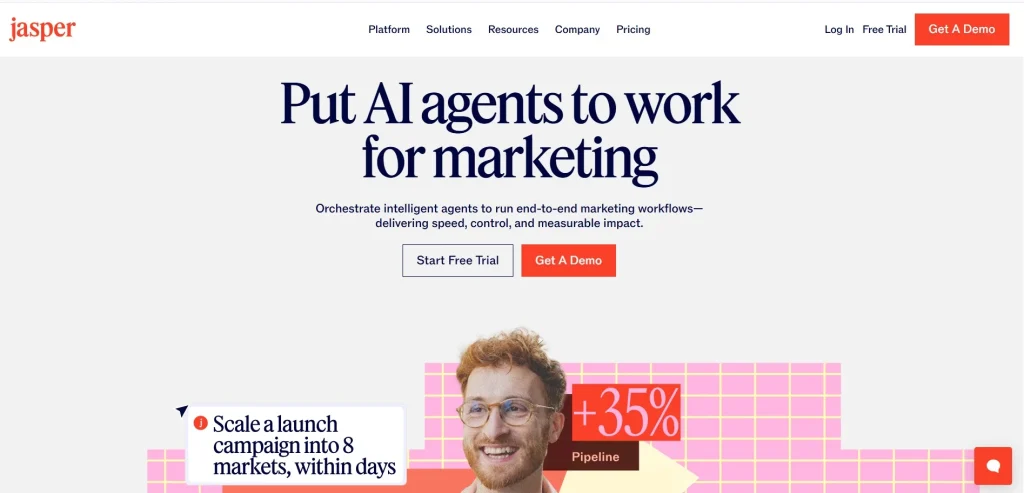
Jasper: The Comprehensive AI Writing Assistant
If you’re looking for a tool that bridges the gap between grammar checking and creative content generation, Jasper might be your ideal solution. I’ve found that Jasper has evolved significantly from its beginnings as a general AI writing assistant to now offering specialized email capabilities that can truly transform your communication.
From General-Purpose to Email Expert
Jasper started as a broad AI writing tool, but has since expanded its functionality to include robust email-specific features. When you use Jasper for email writing, you’re tapping into an AI that understands not just the mechanics of good writing, but the nuances of effective email communication across different scenarios.
What sets Jasper apart from both Grammarly and Copy.ai is its ability to handle both technical correctness and creative generation within a single platform. You don’t need to bounce between tools—Jasper aims to be your comprehensive writing partner.
Mastering Email Templates with “Recipes”
One of Jasper’s standout features is its “Recipes” functionality—essentially sophisticated templates that guide the AI through specific writing tasks. For email writers, this is particularly valuable because:
- Customized workflows: You can create step-by-step recipes for different types of emails you regularly send
- Consistency across teams: Share recipes with colleagues to ensure brand voice consistency
- Time efficiency: Complex emails that might take 30 minutes to craft can be generated in seconds
Jasper offers templates for virtually every email scenario you might encounter: sales outreach, customer support, internal communications, networking messages, and more. I particularly appreciate how these templates aren’t just fill-in-the-blank affairs, but sophisticated starting points that Jasper then customizes based on your inputs.
Example: Jasper’s Customer Service Response: Resolution for Your Recent Order Issue #45892
What’s impressive about this example is how Jasper incorporates empathy, clear action items, and a personalized approach—all essential elements of effective customer service communication. The AI didn’t just generate a generic response, but created a comprehensive solution that addresses the customer’s specific situation.
Learning Your Voice Over Time
Perhaps the most powerful aspect of Jasper is its ability to learn and adapt to your writing style. When you consistently use Jasper for your emails, you’ll notice that:
- It starts mimicking your voice: After analyzing your writing patterns, Jasper begins to sound more like you
- It remembers key information: Information about your company, products, or common phrases you use gets incorporated naturally
- It suggests improvements based on performance: If you’re using Jasper for sales emails, it can learn which approaches generate better responses
This adaptive learning capability means that the longer you use Jasper, the more valuable it becomes. While Grammarly helps you sound correct and Copy.ai helps you sound creative, Jasper helps you sound like the best version of yourself.
Pricing and ROI Considerations
Jasper positions itself as a premium AI writing solution, and its pricing reflects that. When considering Jasper for email writing, you should know that:
- Jasper offers two main plans: Creator at $49/month and Pro at $69/month ($59/month if billed annually). Check Jasper’s pricing page for current plans – they update frequently.
- Business Plan: Custom pricing based on team size, includes collaboration features and brand voice customization
Is it worth the investment? The ROI calculation is straightforward: if you’re spending more than an hour daily on email writing, Jasper could easily reclaim 30-45 minutes of that time. For professionals billing at $100/hour or more, the tool pays for itself within the first week of each month.
For teams, the value proposition is even stronger. Not only does Jasper save time for each team member, but it also ensures consistency across all external communications—something particularly valuable for customer service and sales teams.
Where Jasper Shines (and Where It Doesn’t)
Based on my experience using Jasper for email writing, here’s where I think it excels:
- Complex communication scenarios: When you need to navigate delicate customer situations or craft persuasive sales messages
- Maintaining consistent voice: When multiple team members need to sound unified
- Learning and improving: When you want an AI that gets better the more you use it
However, you should be aware of some limitations:
- Learning curve: Jasper takes more time to master than simpler tools like Grammarly
- Cost factor: The higher price point may be prohibitive for individual users or small teams
- Occasional overwriting: Sometimes Jasper can be too verbose when simpler language would suffice
If you’re primarily concerned with grammatical correctness, Grammarly might be sufficient. If you just need quick creative snippets, Copy.ai could be more cost-effective. But if you’re looking for a comprehensive solution that improves across all dimensions of email writing, Jasper represents one of the most powerful options on the market today.
Jasper: Pros and Cons
- Comprehensive email writing capabilities
- Advanced templates and “Recipes”
- Learns and adapts to your voice
- Great for teams and consistency
- Handles nuanced and high-stakes communication
- Higher cost tier
- Steeper learning curve
- Can be too verbose by default
- Overkill for simple emails
- Requires thoughtful prompts
How to Pick the Right Tool for Your Workflow
Every email workflow is different – a sales rep blasting 40 cold emails a day has different needs than a non-native speaker crafting one careful client reply. Here’s how to match the right tool to what you actually do.
Match Your Tool to Your Email Use Case
The first question you should ask yourself is: what type of emails do you write most frequently? Your primary use case should drive your decision.
- Grammar and Professionalism Focus: If you’re primarily concerned with avoiding embarrassing errors and maintaining a professional tone in your existing content, Grammarly might be your best match. I’ve found it particularly valuable for professionals who write important but straightforward emails and need confidence in their language precision.
- Creative Content Generation: When you’re regularly crafting sales outreach, marketing messages, or need help overcoming writer’s block, Copy.ai’s creative generation capabilities will likely serve you better. You’ll appreciate how it can transform a few bullet points into a complete, engaging email.
- Comprehensive Writing Assistant: If you need both grammar correction and content generation across various email types, Jasper offers the most complete package. I recommend this route when you’re handling diverse communication needs across a team or department.
Budget Considerations and ROI Calculations
When evaluating the cost-benefit equation, consider these practical guidelines:
- For Individual Professionals: Calculate your time investment in email writing. If you spend more than an hour daily on emails, even the premium tiers of these tools typically pay for themselves within a month. The 30-45 minutes of daily time savings translates to approximately 30-45 minutes of daily time savings translates to roughly 11-17 hours per month – likely worth more than the $20-30 monthly subscription.
- For Teams and Organizations: When you’re implementing across a team, look beyond the per-seat licensing to consider training time and adoption rates. Grammarly Business and Jasper Teams offer admin controls and style guide implementation that can ensure consistency in external communications – potentially worth the premium over individual plans.
Remember that many professionals underestimate the true cost of poor communication. A single unclear email can create hours of back-and-forth clarification, making the ROI calculation even more favorable for quality tools.
User Scenarios and Tool Matching
Example Scenarios:
Scenario 1: Sales Development Representative
Primary need: Generating personalized outreach at scale while maintaining creativity
Secondary need: Ensuring professional tone and error-free writing
Budget: Mid-range ($50-100/month acceptable)
Best match: Copy.ai for creative generation with Grammarly free version as a second check
Scenario 2: Executive Assistant
Primary need: Handling diverse email types from scheduling to complex responses
Secondary need: Maintaining executive’s voice and tone consistency
Budget: Higher ($100+/month if it saves significant time)
Best match: Jasper for its comprehensive capabilities and ability to learn writing style
Scenario 3: Non-Native English Speaker in Professional Role
Primary need: Confidence in grammar, word choice, and cultural nuances
Secondary need: Occasional help with content generation
Budget: Moderate ($20-50/month)
Best match: Grammarly Premium for daily use with occasional access to a generation tool
Special Considerations for Non-Native English Speakers
If English isn’t your first language, AI writing tools can be particularly transformative. In my experience working with non-native professionals, AI writing tools can dramatically improve the perceived professionalism of their emails – closing the gap between what they mean and how it reads to a native speaker.
When you’re a non-native speaker, I recommend prioritizing these features:
- Sophisticated tone detection and adjustment capabilities
- Idiomatic phrasing suggestions beyond basic grammar
- Cultural context awareness for business communications
- Explanation features that help you learn as you write
Grammarly offers the strongest support in this area, though Jasper’s more comprehensive approach might be worth the additional investment depending on your role.
Combining Tools vs. Specialized Solutions
You might be wondering whether to use multiple general-purpose tools or opt for a specialized email solution. Here’s my practical advice:
- Multiple Tools Approach: If you have diverse writing needs beyond email (blog posts, social media, general documents), using Grammarly alongside a generation tool like Copy.ai might make sense. The downside is managing multiple subscriptions and workflows.
- Specialized Email Solutions: If email is your primary communication channel and you send various types regularly, a specialized email AI platform might offer better efficiency. These tools combine grammar correction, tone adjustment, and specialized email templates in one workflow designed specifically for email communication.
When you’re deciding between these approaches, consider how much of your writing is email-specific versus general content. The more email-centric your work, the more valuable a specialized solution becomes.
Your choice ultimately depends on finding the right balance between functionality, ease of use, and cost for your specific communication needs. I suggest starting with a free trial of your top contender based on this framework, and monitoring actual time savings and quality improvements before committing to a long-term subscription.
Future Trends in AI Email Writing
The AI email writing landscape is evolving at a breathtaking pace, and what we’re seeing today is just the beginning. As someone who’s been tracking these developments closely, I can tell you that the next few years will bring transformative changes to how we draft, personalize, and optimize our professional communications. Let’s explore what’s on the horizon and how you can stay ahead of the curve.
Emerging Personalization Capabilities
Current AI writing tools already offer basic personalization, but the next generation is taking this to an entirely new level. Soon, you’ll be able to generate emails that adapt not just to your recipient’s name, but to their communication preferences, past interactions, and even their behavioral patterns.
The most exciting development I’m seeing is recipient-specific customization that goes beyond simple variables. These advanced systems analyze:
- Your previous correspondence with the contact
- The recipient’s response patterns and engagement history
- Cultural and linguistic preferences that might influence reception
- Industry-specific terminology and communication norms
This means when you’re writing to a client in Tokyo versus one in Toronto, your AI assistant will automatically adjust not just language, but cultural references, formality levels, and even the structure of your arguments to maximize effectiveness.
The Context-Awareness Revolution
Context awareness represents perhaps the most significant leap forward in AI writing technology. Early AI tools could help with grammar and basic phrasing, but they often missed the bigger picture of why you were writing an email and what you hoped to achieve.
The latest versions of these platforms are becoming remarkably adept at understanding:
- The history and current state of your professional relationship
- The specific business context surrounding your communication
- The appropriate level of technical detail based on the recipient’s expertise
- The optimal call-to-action based on your desired outcome
For you as a user, this means less time explaining what you need and more time refining suggestions that already align with your goals. You’ll find that tools are beginning to understand the difference between “I need to gently nudge this client about an overdue invoice” and “I want to pitch an upsell to a satisfied customer” without you having to spell it out.
Brand Voice Consistency Across Teams
For those of you working in larger organizations, maintaining a consistent brand voice across dozens or hundreds of employees has always been challenging. The next wave of AI email tools is specifically addressing this pain point.
Advanced brand voice features include:
- Custom AI models trained on your company’s existing communications
- Department-specific templates that maintain overall brand consistency
- Automatic checks against brand guidelines before sending
- Voice consistency metrics to track adherence over time
This is particularly valuable when you’re onboarding new team members. Instead of spending weeks learning the nuances of your company’s communication style, they can leverage AI tools that already understand these requirements and provide real-time guidance.
Example of Next-Generation AI Email Capabilities Q3 Project Update: AI Implementation Timeline
This example showcases several next-generation capabilities: personalized relationship context (referencing Berlin trip), recipient-specific technical content tailored to the person’s background, timing suggestions based on the recipient’s known schedule patterns, and a communication style that maintains professional standards while reflecting a collaborative history.
What’s Coming in the Next 1-2 Years
As someone who advises teams on communication technology, here are my predictions for how these platforms will evolve in the near future:
- Emotion AI integration will help you gauge how your message might make the recipient feel before you send it, allowing for tone adjustments that improve reception.
- Cross-platform communication memory means your AI assistant will understand the context of interactions that happened in Slack, Zoom, or other channels when helping you draft follow-up emails.
- Real-time collaboration features will allow multiple team members to contribute to AI-assisted drafts simultaneously.
- Predictive response analysis will suggest the optimal time to send an email and predict likely responses, helping you prepare follow-ups in advance.
The most fascinating development I’m tracking is how general AI writing assistants are increasingly being challenged by specialized tools designed exclusively for specific communication contexts. While platforms like Grammarly, Copy.ai, and Jasper offer broad functionality, purpose-built email platforms are focusing exclusively on the email experience.
This specialization allows for deeper integration with email workflows, more nuanced understanding of email-specific conventions, and features designed exclusively for professional correspondence rather than general content creation.
Preparing for the AI Email Future
To make the most of these emerging capabilities, I recommend you take a few proactive steps:
- Start building a library of your most effective emails as training material for future AI systems
- Identify the unique aspects of your communication style that you’d want AI to preserve
- Consider where in your email workflow you would benefit most from deeper AI assistance
- Begin tracking which types of emails consume most of your time or create the most stress
The AI email tools of tomorrow will be less about fixing what you write and more about understanding why you’re writing it. By preparing now, you’ll be perfectly positioned to leverage these advances as soon as they become available, giving you a significant advantage in your professional communications.
The future of AI email writing isn’t just about writing faster—it’s about writing smarter, with technology that understands the human relationships behind every message.
AI Email Writer Comparison Table
Feature Grammarly Copy.ai Jasper Primary Strength
Grammar, clarity, tone refinement Creative email generation End-to-end AI writing assistant Polishing existing emails Writing emails from scratch quickly Complex, high-stakes, or varied email types ❌ Limited ✅ Yes ✅ Yes ⭐⭐⭐⭐⭐ Industry-leading ⭐⭐⭐ Basic ⭐⭐⭐⭐ Strong ⭐⭐⭐⭐ Subtle, controlled ⭐⭐⭐ Creative but less precise ⭐⭐⭐⭐⭐ Highly customizable


Which One to Choose?
Choosing the right AI email writing tool depends on what you struggle with most when writing emails. If your main concern is polishing grammar and avoiding mistakes, Grammarly is a solid option. It works best when you already have a draft and simply want to improve clarity, tone, and correctness. However, it won’t help much if you’re starting from a blank screen.
If generating ideas is your biggest challenge, Copy.ai is better suited for you. It excels at creating creative, persuasive emails quickly, especially for sales and marketing outreach. That said, its outputs often need additional editing to sound more personal or perfectly professional.
Jasper offers the most comprehensive feature set, combining content generation, templates, and brand voice tools in one platform. It’s a strong choice for teams or users with diverse writing needs beyond email, but its higher price and learning curve can feel excessive if email is your primary focus.
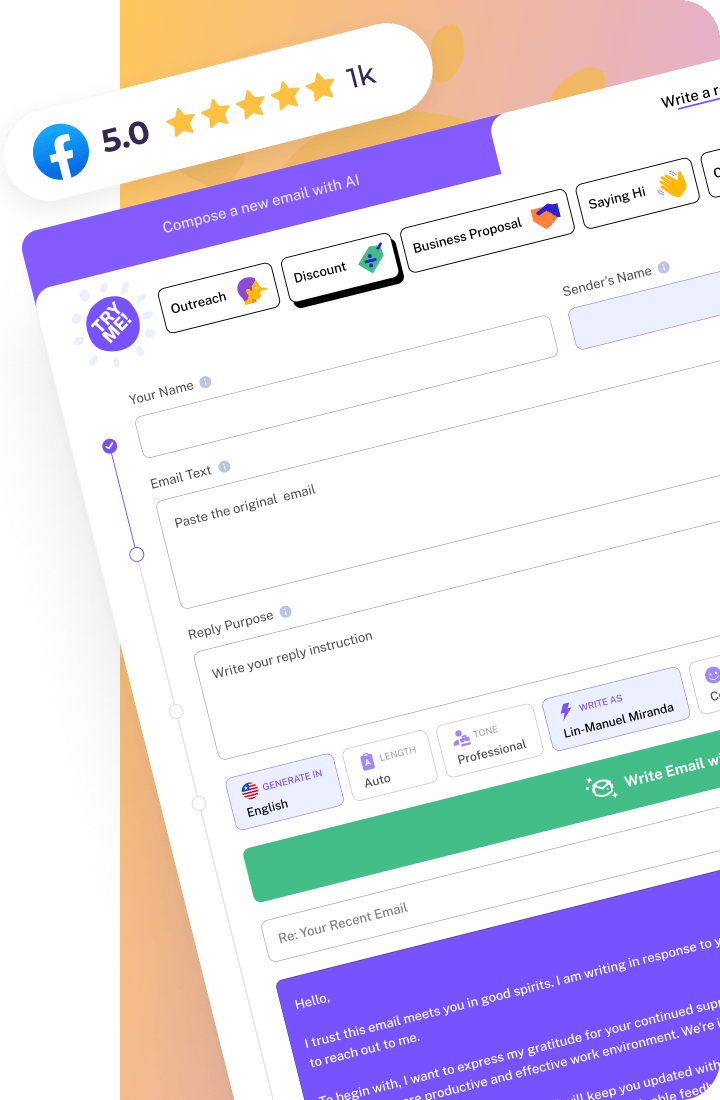
If email is where you spend most of your time, none of these three tools were built for that workflow first. Grammarly polishes what you’ve written. Copy.ai generates creative drafts fast. Jasper handles long-form and templates well. A purpose-built email tool like WriteMail.ai is worth trying alongside whichever of these fits your broader writing needs.
Conclusion: Finding Your Perfect AI Email Writing Partner
Throughout this exploration of Grammarly, Copy.ai, and Jasper, I’ve shown you how each platform brings unique strengths to your email writing process. When you’re deciding which tool best fits your needs, remember that the “right” choice ultimately depends on your specific communication challenges, writing volume, and business objectives.
If you’re primarily concerned with polishing grammar and ensuring professional tone, Grammarly might be your go-to solution. When you need creative content generation for marketing emails or sales outreach, Copy.ai could be your best ally. And if you’re looking for a comprehensive solution that combines elements of both with additional template versatility, Jasper deserves your consideration.
Here’s my final email writing tip that applies regardless of which AI assistant you choose: Take time to personalize the AI-generated content before sending. You should always add your unique insights, company-specific details, and personal touches that no AI can fully replicate. When you do this consistently, you’ll strike the perfect balance between efficiency and authenticity.
For professionals who find themselves writing dozens of emails daily across different scenarios, specialized email solutions – including WriteMail.ai – offer purpose-built features designed specifically for email communication challenges. These specialized tools can sometimes provide more targeted assistance than general-purpose AI writers.
- Start with a free tier of your chosen platform to test functionality
- Measure the time you save and improvement in response rates
- Gradually incorporate AI assistance into more of your email workflows
- Consider how the tool integrates with your existing email platforms
I recommend that you begin implementing what you’ve learned today with just one type of recurring email in your workflow. Notice how it feels to have AI assistance, how your recipients respond, and how much time you reclaim in your day. Then gradually expand from there.
Remember, technology should serve your communication goals, not define them. When you thoughtfully integrate these AI writing tools into your workflow, you’re not just saving time – you’re elevating the quality and impact of your professional communication. And in today’s fast-paced digital workplace, that’s a competitive advantage worth investing in.