Type “write an email to my boss” into ChatGPT or Gemini and you get a stiff, polite note that could have come from anyone. That isn’t the tool’s fault. It knows nothing about your boss, your week, or what you want to happen after the email lands.
The fix is simple. Give the AI what a new colleague would need if you handed them the job. Who is the email going to? What happened? What do you want? How should it sound? Answer those and the draft starts to read like something you wrote on a good day.
Below are ten prompts you can copy, fill in and use today. They cover the emails people put off the longest, from cold outreach to a polite no. Run them in whatever AI chat tool you already use, or try them in Writemail.ai, which helps you write emails with AI.
How to use these prompts
Anything in [square brackets] is yours to fill in. Swap the whole bracket for a real detail, so “[their name]” becomes “Priya”. If a bracket doesn’t apply, delete that line.
Under each prompt you’ll find a note called “Add this for a better draft.” It names the one piece of context that changes that kind of email the most. If you have it, paste it in.
You’ll also see that every prompt asks for an exact length. That’s on purpose. OpenAI’s help article on prompt writing puts it this way: “Be specific, descriptive and as detailed as possible about the desired context, outcome, length, format, style, etc”. Its own example swaps “fairly short, a few sentences only” for “Use a 3 to 5 sentence paragraph.” The article covers prompting in general, not email, but the point carries over. “Short” means something different to everyone. A number leaves the AI less to guess.
Google’s Prompting guide 101 for Gemini says “The four main areas to consider when writing an effective prompt are: Persona, Task, Context, Format.” It also says “you don’t have to be a prompt engineer to do this.” Google sells Gemini inside Gmail, so read it with that in mind. Still, those four parts are what the prompts below are built from.
1. Cold outreach
Use this when you’re writing to someone who has never heard of you and you want a reply, not a sale.
Write a cold email using the details below.
Why I’m writing: I read your post about clearing support backlogs. My ask: Would a 15 minute call next week be useful?
One real detail about them that you could only know by looking, like a recent post or a product launch. Without it, the AI makes up flattery, and readers spot that fast.
A good opening line sounds like this: “Saw your team is hiring support agents. We help teams clear ticket backlogs before new hires start.”
2. Follow-up after no reply
Use this when a week has gone by and your first email got no answer.
Write a follow-up email using the details below.
Example details:
- To: Priya Nair
- What I sent: a proposal for redesigning her onboarding emails
- Date I sent it: October 21
- New thing to add: I have one opening left in December, and the $3,200 price holds only through November 30
- My ask: Should I save that December spot for you, yes or no?
Sample email:
A new reason to reply. “Just checking in” gives nobody a reason to do anything. Tell the AI what has changed since your first note, even if it’s small. You can also add “make it easy for them to say no,” which often gets you an answer faster.
3. Reply to a difficult or angry message
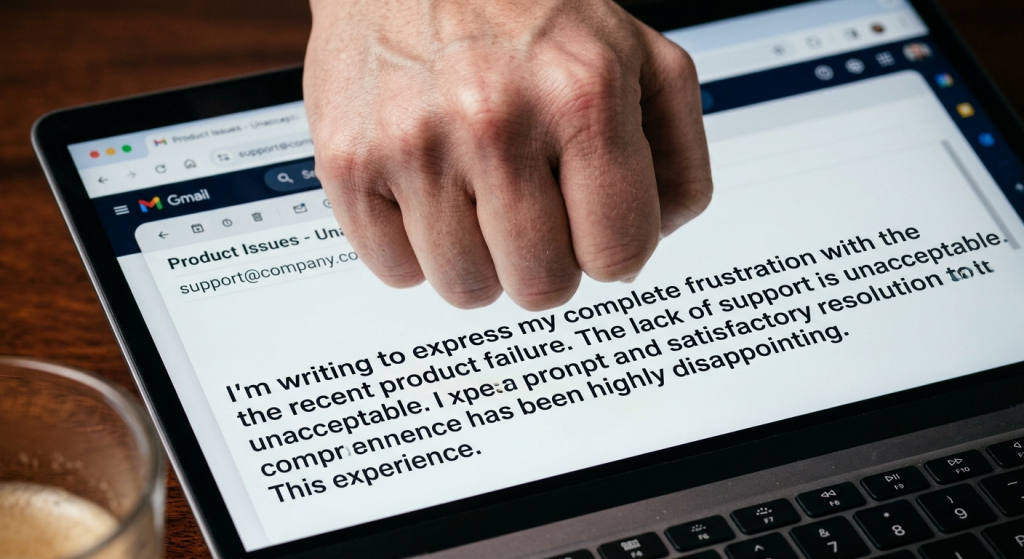
Use this when someone is upset with you or your team and you want to calm things down without caving.
Write a reply to the email at the bottom of this message.
Example details:
- To: Sam Rivera
- From: Hannah Cole, Customer Care Lead at Oakline Home
- What actually happened: Sam ordered the Ashby standing desk on October 12, with delivery promised by October 19. A supplier delay held it in our warehouse, it shipped on October 28, and we never told him.
- What I can offer: A refund of the $45 shipping fee, the tracking number, and a delivery estimate of Friday, October 30
- Their email: “I ordered the Ashby desk on October 12 and you promised delivery by October 19. It’s now October 27 and I’ve had no email, no tracking update, and nobody answers your phone line. I stayed home all day last Saturday waiting for it. This is unacceptable. Where is my order, and why did nobody tell me anything?”
Sample email:
Paste their whole message, not a summary, and say what you can’t do. If a refund is off the table, tell the AI so it doesn’t promise one.
Notice the phrasing “keep it calm and offer a fix.” The same OpenAI guide says “Instead of just saying what not to do, say what to do instead.” A prompt that says “don’t sound defensive” gives the AI nothing to aim at. A prompt that says what to do does.
4. Apology
Use this when you made a mistake and the other person deserves a straight answer.
Write an apology email using the details below.
Example details:
- To: Jordan Ellis
- What went wrong: The Q3 sales report I sent Monday had last year’s numbers in the West region column
- How it affected them: Jordan quoted a total that was $84,000 too high in Tuesday’s budget meeting
- What I’m doing about it: Rebuilding the regional totals from the finance export today, with Aisha checking them before they go out
- My promise: I’ll send the corrected file by Friday at noon
Sample email:
The real cost to them and a date for the fix. Apologies get stiff when they stay vague. “I’m sorry for any inconvenience” says nothing. “I’m sorry the report missed your Tuesday deadline” says you noticed.
5. Meeting request
Use this when you need someone’s time and want them to say yes without a long back and forth.
Write an email asking for a meeting using the details below.
Example details:
- To: Marisol Vega
- Meeting length: 20 minutes
- Topic: The Q1 marketing budget
- Why now: It goes to finance on Friday, November 13
- What I want to cover: Whether to move $15,000 from events to paid search, and what finance needs to see
- Times I can offer: Wednesday at 10am or Thursday at 2pm, Eastern time
Sample email:
Two specific time slots and the outcome you want from the meeting. A vague “can we chat sometime?” leaves the other person to do the planning, and they usually put it off.
6. Status update
Use this when your manager or client needs the short version of where things stand.
Write a status update email using the details below.
Example details:
- To: Elena Fischer
- Their role: manager
- Project: Website migration
- Done this week: Moved 42 of 60 pages to the new site and tested the blog redirects with no broken links
- Blocked on: Legal review of the new privacy page, which Tom Hargrove’s team has had since October 26
- What I need: Tom’s team to finish the review by Wednesday, November 4, so the November 16 launch holds
Sample email:
Paste your rough notes and tell the AI what your reader cares about most. A manager usually wants risks. A client usually wants dates.

7. Negotiation
Use this when you want to push back on a price, a deadline or the scope of a job and keep the relationship intact.
Write a negotiation email using the details below.
Example details:
- To: Rachel Kim at Brightpath Analytics
- What I’m pushing back on: price
- Their current terms: $5,400 a year for 10 seats
- What I’m proposing: $4,500 a year for the same 10 seats, on a two year term instead of one
- My reason: Our software budget is capped at $4,500 this year
- My ask: Can you meet us at $4,500 a year?
What you can give in return. “We can commit to a 12 month term” turns a complaint into a trade. Leave your walk-away number out of the prompt, though. The AI doesn’t need it.
8. Thank-you
Use this when someone helped you and a quick “thanks” would undersell it.
Write a thank-you email using the details below.
Example details:
Closing gesture: Coffee is on me next time she’s in town
To: Carol Bennett
What they did: Introduced me to the hiring manager at Halvorsen Logistics and wrote me a recommendation
The difference it made: I got the interview, then the job, and I start as an operations analyst on November 16
Our relationship: a former manager
Sample email:
The result. “Thanks for your help” could be about anything. “Your intro got me the interview, and I start Monday” could only be about one thing. The detail is the whole point of the email.
9. Introducing two people
Use this when you know two people who should talk and you want to make it easy for both.
Write an email introducing two people using the details below.
Example details:
- Person A: Maya Patel, founder of Crumb & Co., a bakery supply startup
- Person B: Luis Ortega, independent logistics consultant
- How I know A: I met her at the Denver Food Expo
- How I know B: I worked with him for four years at Peak Logistics
- Why they should talk: Maya is choosing a cold chain shipping partner, and Luis spent six years running cold chain operations for a regional grocer
Sample email:
Why each person would want the meeting, not just why you think it’s a good idea. Also check with both people before you send. A quick “mind if I introduce you?” saves an awkward moment.
10. Declining politely
Use this when you need to say no to a request, an invite or an offer and still be someone they’d ask again.
Write an email declining a request using the details below.
Example details:
- To: Evan Brooks
- What I’m declining: An invitation to speak on a panel at the Product Leaders Summit on December 4
- My reason: I’m in the middle of a product launch that week
- What I can offer instead: My colleague Alex Moreno, who led our last two launches
Sample email:
The decision first, then an alternative if you have one. People can handle a clear no. What frustrates them is a soft maybe that stretches on for a week.
Conclusion: start with one
You don’t need all ten. Pick the email you’ve been avoiding this week, copy the matching prompt, fill in the brackets and send the result to yourself first. Then notice what the draft got right and what it missed. The gap between the two is usually one missing detail, and next time you’ll know to add it.