


The last cold email I opened started like this: “Hi there, I hope this email finds you well! I came across your profile and was really impressed by your background.” Two problems. I had never spoken to the sender. And nothing in the rest of the message mentioned anything about me that could not have come from a purchased list.
That email did not land in spam. It landed in my inbox, and I still treated it like spam, because it read like spam. That distinction matters more than most senders realize. When Backlinko and the sales platform Pitchbox analyzed 12 million outreach emails, they found that only 8.5% received a response. Not a meeting. A reply. The other 91.5% got no reply at all.
Why your cold email reads as spam to a human
Filters are one hurdle. Your reader is the stricter one, and they flag the same patterns over and over.
Fake familiarity
“I’ve been following your work for a while,” sent to someone whose work you discovered ten minutes ago. Readers recognize flattery that came from a template, and it poisons everything after it. If you genuinely read a post someone wrote three years ago, say which one. Specific beats flattering.
The greeting that means nothing
“I hope this finds you well” has appeared in so many spam emails that it now works like a warning label. It tells the reader that nothing in this message was written for them.
The wall of text
Cold emails that spend three paragraphs on the sender’s company before reaching the point. People scan. If the first screen is about you rather than them, the scan ends in the trash folder.
The pushy ask
“Do you have 15 minutes Thursday at 2pm?” from a stranger is a meeting request, not an email. It asks the reader to spend time before you’ve given them any reason to.
None of these get you flagged by a filter. They get you flagged by a person, which is worse, because that person can mark you as spam, and those reports are what filters actually listen to.
What spam filters actually check now
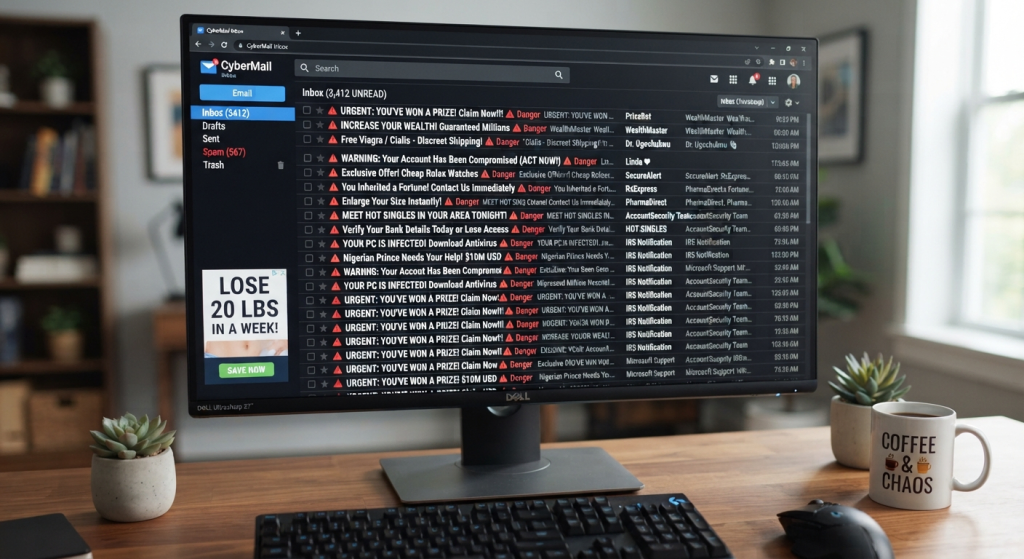
The trigger-word lists that dominate cold email advice are mostly out of date. Modern filters weigh who you are, not just what you say: whether your domain has the records that prove its mail is genuine, how long it has been sending, and how people have treated your past mail. A message full of “free” and “act now” from a domain with a clean record usually arrives. A politely worded email from a domain that has blasted a million strangers will not.
In February 2024, Google made this concrete with email sender guidelines that apply to anyone sending to personal Gmail accounts. Every sender now needs SPF or DKIM set up on the sending domain. Senders above 5,000 messages a day face a stricter tier: SPF and DKIM together, DMARC, one-click unsubscribe on marketing mail, and a spam-complaint rate kept under 0.3%, which is about 3 people per 1,000 marking you as spam. Google measures that number in Postmaster Tools, its free dashboard for email senders. Yahoo enforces matching requirements, so this is the industry baseline now, not one company’s quirk.
If those three names mean nothing to you, here’s what they actually are.
- Sender Policy Framework (SPF): is a public list, kept with your domain’s settings, that says which mail servers are allowed to send email as your domain. Inboxes check it to make sure your email really came from one of them.
- DomainKeys Identified Mail (DKIM): a hidden digital signature on every email you send. It proves the email came from your domain and wasn’t changed on the way.
- Domain-based Message Authentication, Reporting and Conformance (DMARC): is a rule you publish that tells inboxes what to do with an email that fails those checks: deliver it, send it to spam, or reject it. It also sends you reports so you can spot problems.
None of this needs a developer. Each one is a short line of text you add to your domain’s DNS settings, the control panel at the company where you bought the domain. Your email provider’s setup guide walks you through it.
Two habits take care of most of that.
- Set up authentication before you send anything. The three records above are a one-time job. An email sent without them starts every conversation already suspected.
- Warm up your domain. That just means starting small. A brand-new domain that sends 500 cold emails on day one looks like a spam operation, because that’s how spam operations behave. Start with a handful of sends to people likely to reply, and grow over weeks.
Complaint rates deserve their own warning. Every “mark as spam” click counts against you, and 0.3% is a thinner margin than it sounds once you divide your send volume into it. Sending to lists copied off websites without anyone’s permission, or continuing to email people who never reply, is how senders cross that line. Volume discipline sounds unglamorous, but it’s what keeps the channel open.
Subject lines and formatting that stay out of trouble
Your subject line has two jobs, and one of them is legal. Under the FTC’s CAN-SPAM compliance guide, a deceptive subject line is a violation, and each offending email carries a penalty of up to $53,088. Beyond the law, bait-and-switch subjects are the fastest way to earn a spam report from the very person you wanted as a client.
On length, the Backlinko study found that outreach emails with long subject lines got 24.6% more responses than short ones. That surprised me too, and I’d treat it as a nudge rather than a law. The short subject isn’t the problem. The vague one is. “Quick question” hides your intent, and readers have learned that vagueness usually means a pitch.
Formatting matters more than phrasing. An email that looks like a web page, with images, background colors, and a tracking pixel (a tiny invisible image that reports back when someone opens your email), looks like marketing mail, because that’s what marketing mail looks like. Plain text looks like a person. Keep the link count low, one or two at most, and skip images entirely in a first cold email. Every extra asset is another thing a filter can score and another thing your reader has to wait for.
Personalization that’s more than a first name
Dropping someone’s first name into a template is automation wearing a name tag. Readers see through it instantly, because the sentence it sits in could have been sent to anyone. The Backlinko data puts numbers on this: emails with personalized subject lines got 30.5% more responses, and personalized bodies got 32.7% more.
The gap between a name in a template and real personalization is about one fact. Something you could only know by looking at this specific person.
Before (just the name swapped in):
After (one real fact):
The second version takes longer to write and gets fewer sends per hour. It also gets replies. If your list is too large to personalize honestly, that’s a signal to shrink the list, not to fake the research.
The ask: small, specific, and easy to decline
Most cold emails fail at the last line. After earning attention with a real opening, they ask for thirty minutes, a demo, or a call “this week,” which asks the reader to commit before they’re convinced. A low-friction ask is a question the reader can answer in one line. “Is that something you’d own, or should I talk to someone else?” “Want me to send the two-line version?” These give the reader a path that costs nothing.
One more habit that helps in practice: give an exit. “If this isn’t relevant, a one-word ‘no’ works and I won’t follow up.” It reads as confidence rather than neediness, and it lowers the chance you get marked as spam, because declining politely feels safer than reporting you.
A cold email that works, end to end
Notice what’s absent. No company paragraph, no logo, no testimonials from other customers, no calendar link. The ask costs the reader one word.
The pre-send checklist
- SPF, DKIM, and DMARC are set up on your sending domain (the three records from earlier), and the domain has been warming up for at least a few weeks.
- Today’s sending volume matches what the domain has sent before, not the size of your target list.
- The subject line honestly describes what’s inside.
- The first sentence proves you know something about this specific recipient.
- Plain text, no images, one link at most.
- The ask can be answered in a single line.
- Your real name, your real company, and a physical address are in the signature, as CAN-SPAM requires.
- There’s a genuine, easy way out for anyone who isn’t interested.
The bottom line
Cold email isn’t dying. Lazy cold email is. The senders still winning write less, personalize honestly, and treat their domain like the business asset it is. When I draft these now, I start with a structure template from Writemail.ai, then strip it down line by line until it sounds like something I’d say to one person. The tool speeds up the first draft. The judgment that makes it not-spam is still yours.