


I’ve spent enough time testing email writing tools to know the gap between the free tier and the paid one isn’t marketing spin. It’s real, and it’s specific. If you’re wondering whether to keep using the free plan or finally upgrade, the answer depends entirely on how many emails you write and what you’re writing them for, not on which tool has the flashiest homepage.
Let’s run the actual numbers instead of guessing.
The Free Tier: What You Actually Get
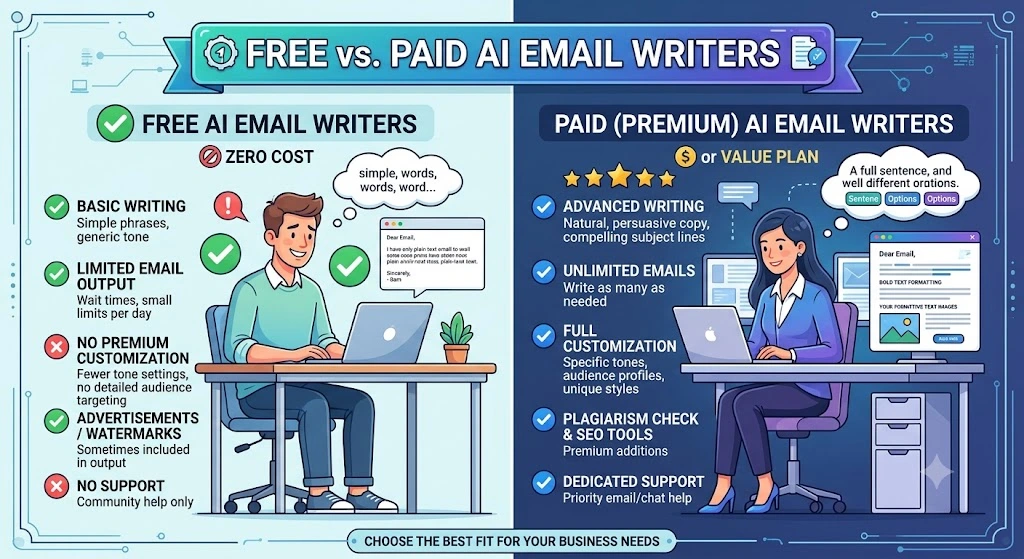
Free AI email tools aren’t stripped-down demos anymore. They’re genuinely useful for light, occasional use, and you can get real work out of them without touching your wallet. Here’s what’s on the table right now.
Grammarly (Free)
You get 100 AI prompts per month, plus its core grammar and tone checking, full plan details here. That’s roughly 3-4 emails a day if you use a prompt per draft, which covers most people who send a handful of emails and want them clean.
ChatGPT (Free)
You get a limited number of messages per day, but enough to draft an email from a blank page. You write the bones, ChatGPT fills gaps, you edit. No frills, but it works if your needs are simple.
QuillBot (Free)
Your paraphrasing is capped at 125 words per rewrite, with two paraphrasing modes, basic grammar checking, and 20 AI chat messages. It’s built for rewriting a paragraph you already have, not drafting from nothing.
Pros of Free Tools
- Zero cost, no commitment on your part
- Enough volume for occasional senders (a handful of emails a week)
- Core drafting and grammar checking included
- A low-risk way to test whether AI assistance actually changes your workflow before you pay for anything
Cons of Free Tools
- Hard caps that occasional use won’t notice but daily use hits fast (100 prompts a month works out to about 3 a day)
- Short-form limits, QuillBot’s 125-word paraphrase ceiling breaks on anything longer than a short paragraph
- Thin tone and voice control, most free tiers give you one generic voice and no way to adjust it
- No team seats and no way to keep a consistent voice across your group
- Basic or no plagiarism and AI-detection support
The Paid Tier: What You’re Actually Buying
Paid tiers aren’t just “more of the same.” They add depth free tiers can’t touch: more volume, real tone control, and in some cases, team seats built for a whole brand voice, not just your inbox.
Grammarly Pro:
$12/month gets you 2,000 prompts per member per month, full rewrites (not just edits), tone adjustment, plagiarism checking, and AI detection. That’s roughly 20 times the free prompt volume for the price of two coffees.
ChatGPT Go:
$20/month for heavier daily use, longer context windows, and priority access when demand spikes and you need your answer now.
ChatGPT Plus:
$20/month for heavier daily use, longer context windows, and priority access when demand spikes and you need your answer now.
$8.33/month billed annually (no monthly-billed price is published), with unlimited paraphrasing, nine rewriting modes plus a custom mode, tone insights, and unlimited AI chat. Your 125-word free cap disappears entirely.
Jasper:
No free tier at all, just a 7-day trial. $59/month billed yearly, or $69 month-to-month, one seat. Built for marketing teams juggling multiple brand voices across campaigns, not solo senders writing personal email.
Copy.ai:
Also skipped the free tier and pivoted to a paid-only, go-to-market platform. $29/month, or $24/month billed annually, five seats. This one is priced for teams running outbound at volume, not individuals answering their own inbox.
Pros of Paid Tools
- Volume that scales with your daily use instead of choking on it
- Real tone and voice control across multiple emails or brands
- Team seats for consistent voice across your company (Jasper, Copy.ai)
- Plagiarism and AI-detection checks bundled in (Grammarly Pro, QuillBot Premium)
- Priority support and faster access during high demand
Cons of Paid Tools
- A recurring cost, even in the months you barely touch it
- Some tools are overbuilt and overpriced for your single inbox if you’re working solo (Jasper and Copy.ai are both built and priced for teams)
- Team-seat pricing doesn’t flex down for solo use, you pay for five seats on Copy.ai even if you’re one person
- QuillBot’s advertised price only applies to annual billing
Free vs. Paid AI Email Writers: Feature-by-Feature Comparison
| Feature | Writemail.ai | Grammarly | ChatGPT | QuillBot | Jasper |
|---|---|---|---|---|---|
| Draft new email from scratch | Yes, key points (up to 2,000 characters) into a full email | Yes, AI prompts (Free 100/mo, Pro 2,000/mo) | Yes, general chat (free + paid) | Indirect only, paraphrases text you supply, not a from-scratch generator | Yes, 50+ templates (paid only) |
| Reply generation from a thread | True paste-the-thread flow, paste the conversation (up to 6,000 characters) plus your key points | Drafts replies inside Gmail | Manual only, paste the thread into chat | No | Extension drafts and replies in Gmail and Outlook, you supply context |
| Tone/style control | Five dedicated selectors: Length, Style, Tone, Mood, Emoji; basic options free, advanced Premium only | Free sees tone, Pro adjusts it | Prompt wording only, no selectors | Tone Insights (Premium) | Brand Voice (paid) |
| Inbox integration | Chrome and Firefox extensions, Google Workspace Add-on, Outlook Add-in, plus desktop apps | Extension works in Gmail, free tier included | No first-party inbox integration (“ChatGPT for Gmail” extensions are third-party) | Extension works in Gmail compose, free | Extension for Gmail and Outlook, paid only |
| Templates/personalization | Templates, name/receiver fields, “Write As” personas, voice input | Snippets and brand tones (Pro) | Custom GPTs, no email templates | None email-specific | 50+ templates including email and subject lines |
| Volume limits | Free 5 emails/mo, Basic 50, Pro 150 | Free 100 prompts/mo, Pro 2,000 | Free rate-limited | Free 125-word paraphrase cap, Premium unlimited | No free tier |
| Plagiarism/AI detection | Not featured | Pro yes | No | Premium yes (free tier has a limited AI Detector) | Not featured |
| Cheapest paid tier | Basic, $6.95/mo (monthly billing) | $12/mo (annual billing; $30/mo month-to-month) | ChatGPT Go, $8/mo | $8.33/mo (annual billing) | $59/mo annual, $69/mo month-to-month |
The Math That Actually Decides This For You
Here’s the calculation I use, and the one I’d suggest you run before you upgrade anything.
A 2023 MIT study published in Science found that ChatGPT assistance cut writing task time by 40 percent and raised output quality by 18 percent. Apply that directly to your own email time and your upgrade decision stops being a guess.
Say you spend 3 hours a week writing and rewriting emails, and your time is worth $25 an hour, a conservative stand-in for most working professionals. A 40 percent time cut saves you 1.2 hours a week, worth $30. Grammarly Pro costs $12/month, about $3/week. You’re netting $27 a week in your own time. That math clears almost immediately once you’re spending more than about 45 minutes a week on email that actually needs help.
If you only spend 20 minutes a week on email and you rarely brush your free-tier cap, the same math doesn’t clear for you. You’d be paying for headroom you’ll never use.
Adoption backs up the direction, not just the theory. McKinsey’s 2024 State of AI survey found 65 percent of organizations are now regularly using generative AI at work. If your company hasn’t asked this question yet, it’s likely to soon: the free-versus-paid AI email question isn’t hypothetical anymore, it’s a live budget line at most companies already.
When Free Is Genuinely Enough For You
- You send email occasionally, a few times a week, not daily
- You’re not consistently hitting Grammarly’s 100-prompt cap or QuillBot’s 125-word ceiling
- You don’t need a consistent voice across a team
- You’re still testing whether AI assistance changes anything for you before committing money
When Paid Pays for Itself
- You’re hitting free-tier caps regularly, blowing past 100 prompts or needing longer paraphrases than 125 words allows
- You send email daily as part of your job: sales, support, recruiting, client communication
- You need tone consistency across a team or multiple brand voices (Jasper and Copy.ai territory)
- Your time savings, run through the math above, clear the monthly cost within your first week
Writemail.ai: What a Purpose-Built Email AI Delivers
I run Writemail.ai myself, so take this section for what it is: the product I built, described plainly, sitting inside a comparison where I’m also naming its limits.I run Writemail.ai myself, so take this section for what it is: the product I built, described plainly, sitting inside a comparison where I’m also naming its limits.
Pricing runs Free at $0 for 5 AI emails a month, Basic at $6.95/month for 50 emails, Pro at $11.95/month for 150, and a Custom tier for unlimited volume by request. That’s month-to-month billing. Annual plans exist too, but they trade a higher rate for roughly 3 times the monthly email quota rather than a flat discount on the same plan, so don’t expect the math to translate cleanly between the two.
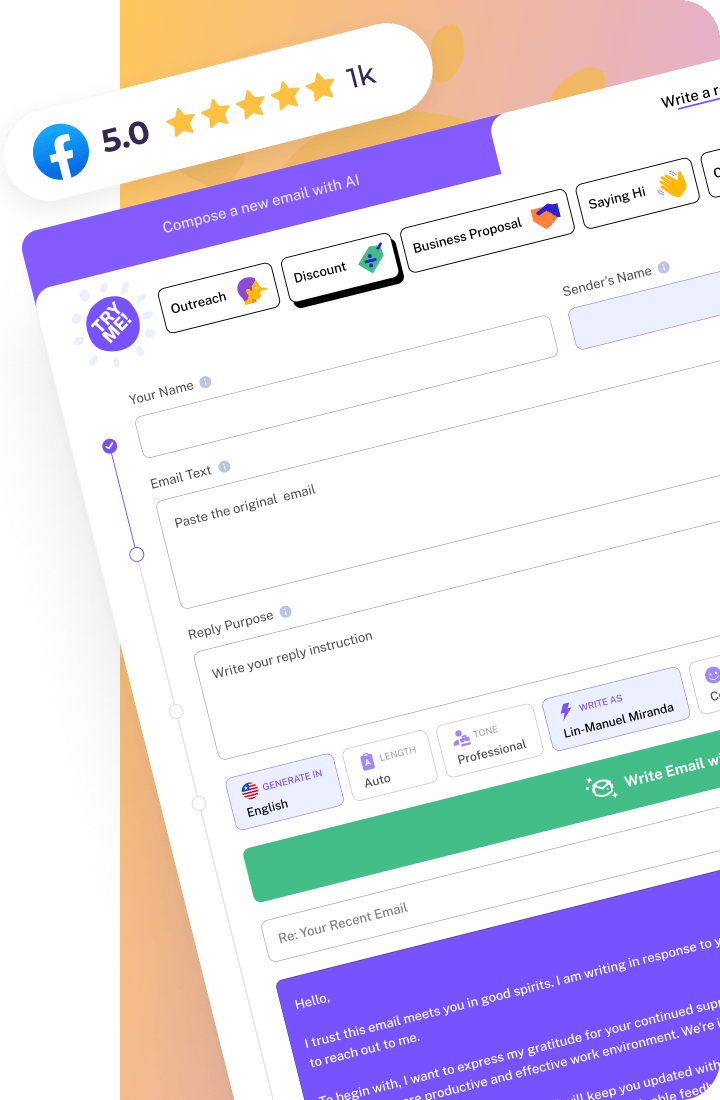
What makes it purpose-built rather than a general chatbot pointed at email: a dedicated new-email flow that turns a short list of key points into a full draft, and a separate reply flow where you paste the actual thread (up to 6,000 characters) alongside your key points. Five tone selectors, Length, Style, Tone, Mood, and Emoji, give you more granular control over how the output sounds than any of the four general tools above. It supports 30+ languages, includes templates and “Write As” personas, and works from inside the inbox itself through Chrome and Firefox extensions, a Google Workspace Add-on, an Outlook Add-in, and desktop apps.
The paid-only Smart Mail Assistant tackles a problem most email tools ignore: structure. As the product puts it, “People typically only read about 20% of an email. WriteMail.ai structures your content to ensure key points stand out and get noticed.” On privacy, the generation itself is stateless on their end: “Generated emails never touch our servers.” And the core pitch is narrow by design, it’s “specifically fine-tuned for email writing,” not a general assistant repurposed for your inbox.
None of that makes it the right fit for every reader. If you already write emails inside ChatGPT Plus or Grammarly Pro daily and aren’t hitting a wall, switching tools just to switch has no payoff. It’s worth a look specifically if your bottleneck is what the comparison table above flags: no first-party inbox presence, thin reply-from-thread support, or tone control that stops at “on” and “off.”
The Verdict: What You Should Actually Do
Most people don’t need the most expensive tier on the market. They need the cheapest one that removes their actual bottleneck. I run an AI email writing product myself, and the pattern I see most often is someone paying for a $59/month team tool to solve a problem an $8-12/month personal plan would have fixed just as well.
So here’s your next move: start with a free tier if you haven’t already. Notice exactly where it breaks for you, a prompt cap, a word limit, a tone that never sounds quite like you. Then upgrade to fix that specific gap, not because upgrading feels like the responsible thing to do. Run the math above with your own numbers. It usually takes less than a week of real use to know whether paying is worth it for you, and once you know, the decision stops being a guess and starts being arithmetic.
Conclusion
Free AI email tools are enough for occasional senders who rarely hit their caps. Paid tools earn their keep the moment your email volume, team size, or tone requirements outgrow what the free tier was built for. Use the math above with your own numbers, and let your actual usage, not marketing copy, make the call.