

The average professional receives 121 emails per day. They open roughly a third. The rest get deleted, archived, or buried based on a two-second judgment of the subject line alone. Your emails are in that pile, competing for attention against 80 other unread messages.
I’ve been writing and testing professional email subject lines for years, and the pattern is consistent: small wording changes produce outsized differences in open rates. On one client project, a B2B consulting firm sending weekly prospect updates, swapping vague subject lines for specific ones lifted opens by 41% in a single quarter. Not a redesign. Not a new tool. Just better words in the subject field.
Three principles explain why certain subject lines get clicked while others rot in the inbox:
- Curiosity: your subject line hints at something the reader doesn’t know but wants to.
- Relevance: it signals the email is about their problem, not your agenda.
- Urgency: it gives the reader a reason to open now instead of “later” (which, let’s be honest, means never).
Every technique in this article maps back to at least one of these three. The first section covers how length and clarity create the space for them to work. From there, we get into personalization tactics, urgency that doesn’t burn trust, industry-specific formulas, A/B testing, and the mistakes that quietly tank your rates.
Let’s get into it.
Crafting Clear and Concise Subject Lines
Most subject lines fail before anyone reads them. They get truncated on mobile, buried in vague phrasing, or ignored because they look like every other email in the inbox.
The fix is simpler than you’d think: fewer words, front-loaded with the point.
The data on length
Retention Science data shows subject lines between 6 and 10 words generate the highest open rates, averaging 21%. Past 10 words, engagement drops off. This tracks with how people actually scan their inbox: Litmus reports that 46% of all email opens happen on mobile devices, where most clients display 30-40 characters before cutting off.
Your first five words do 80% of the work. If the core message isn’t visible in those five words, you’re banking on people tapping into an email that gave them zero reason to.
How to cut without losing meaning
Crafting concise subject lines is about strategic editing, not simply cutting words. Here are techniques I recommend you apply:
- Remove redundant modifiers: Words like “very,” “really,” and “actually” rarely add value
- Eliminate articles when possible: “The,” “a,” and “an” can often be removed without losing clarity
- Use strong verbs: Replace weak verb phrases (“make an improvement”) with strong single verbs (“improve”)
- Cut prepositional phrase chains: Instead of “Update on the status of the project,” try “Project status update”
- Prioritize information: Lead with the most critical information your recipient needs
Subject Line Evolution Example Requesting That You Please Review and Provide Your Feedback on the Quarterly Marketing Report That Was Recently Completed
Let’s evolve this wordy subject line through progressive refinement:
First edit (11 words): “Please Review and Provide Feedback on the Quarterly Marketing Report”
Second edit (8 words): “Please Review the Quarterly Marketing Report – Feedback Needed”
Final version (6 words): “Quarterly Marketing Report – Feedback Needed”
Notice how I preserved the core request while cutting the word count by over 75%. The final version is direct, clear, and fits comfortably within the ideal length range.
Mobile-first isn’t optional
With 46% of opens on mobile (Litmus), writing only for desktop means you’re writing for half your audience at best. iPhone Mail shows roughly 35-38 characters in portrait mode. Gmail on Android can be tighter.
Here’s the test: if your subject line doesn’t make sense in the first 35 characters, rewrite it. Qualifiers, context-setters, politeness buffers? Push those to the end where they’ll get truncated on mobile but still show on desktop. Put the action word and topic first. Always.
“Your Q3 pipeline report is ready” works on every screen. “I’m pleased to share that your Q3 pipeline report is now available for review” works on none of them. The difference isn’t style. It’s whether your email gets read by the 46% of your audience checking on their phone between meetings.
Personalization That Goes Beyond a Name Tag
Dropping someone’s name into a subject line used to be enough to stand out. Not anymore. Every marketing platform and CRM auto-inserts {first_name}, and your recipients know it. The novelty of “Sarah, check this out” wore off years ago.
The underlying principle still holds, though. Campaign Monitor research shows personalized subject lines are 26% more likely to be opened. The personalization that moves your needle today just goes deeper than a name field.
Reference something specific
The strongest personalization signals that you actually know the recipient. Not just that your email tool has their contact record.
- Generic: “David, improve your team’s productivity”
- Specific: “David, following up on the onboarding bottleneck you mentioned”
The second one proves context. It references a real conversation. That’s the gap between a mail merge and an actual message.
I build subject lines around three types of specificity:
- Shared interaction: “Re: your question about vendor pricing at Thursday’s call”
- Recipient’s situation: “Your Shopify migration, two things to watch for”
- Timing or trigger: “Saw your Series A announcement. Congrats, and a quick thought”
Each takes about 15 seconds of research. Open a contact’s LinkedIn, check your last email thread, or glance at their company news. The payoff is a subject line that looks hand-written because it functionally is
The power of using the recipient’s name: statistical impact on open rates
Let’s start with the simplest yet most effective personalization technique: using your recipient’s name. According to research by Campaign Monitor, emails with personalized subject lines are 26% more likely to be opened than generic ones. That’s a substantial increase for such a small change! When you include someone’s name in your subject line, you’re essentially saying, “Hey, this message was crafted specifically for you—not blasted to thousands of others.”
But there’s an important caveat here: personalization must feel natural, not forced. You don’t want to sound like you’re trying too hard. Compare these two approaches:
- Generic: “July Newsletter”
- Personalized: “James, your July marketing insights have arrived”
The second example feels more conversational and directly addresses the recipient, making them more likely to engage with your message.
While using someone’s name is powerful, truly sophisticated personalization goes deeper. When you reference a specific shared experience, previous interaction, or mutual connection, you’re signaling to the recipient that this isn’t just another mass email—it’s a continuation of your relationship.
Here are some advanced personalization techniques you can implement in your next email campaign:
- Reference recent interactions: “Following up on our conversation about Q3 strategy”
- Mention mutual connections: “Sarah Johnson suggested I reach out about marketing collaboration”
- Acknowledge important milestones: “Congratulations on your 5 years at Acme Corp!”
- Refer to recent content engagement: “You might enjoy this follow-up to the whitepaper you downloaded”
When you take the time to include these personalized details, you’re demonstrating that you value the relationship enough to pay attention to the specifics. This approach builds trust and increases the likelihood that your email will be opened and read.
Example: Personalization in action
Generic cold outreach: “Introduction: Marketing Services for Your Business”
Sales Representative
Personalized cold outreach: “John, loved your LinkedIn post about digital marketing challenges”
Marketing Strategist
Generic follow-up: “Following Up on Our Meeting”
Account Manager
Personalized follow-up: “Emma, next steps on the website redesign we discussed Tuesday”
Segmentation techniques: Tailoring subject lines to specific audience segments
When you’re managing a large email list, personalization at scale becomes challenging. This is where segmentation comes in. By dividing your audience into specific segments based on demographics, behavior, or preferences, you can create subject lines that feel personalized without crafting individual emails for each recipient.
Here are some effective segmentation strategies you can implement:
- Industry-based segmentation: “New compliance regulations affecting [industry name] professionals”
- Purchase history: “Since you purchased [specific product], you’ll love our newest release”
- Engagement level: “We’ve missed you, [name] – here’s what’s new since you last visited”
- Geographic location: “[City name] professionals: Join our local networking event”
- Content preferences: “Your weekly [topic] insights are ready, [name]”
According to MailChimp research, segmented email campaigns have an average of 14.31% higher open rates compared to non-segmented campaigns. When you take the time to create targeted subject lines for different segments of your audience, you’re dramatically increasing your chances of engagement.
How AI can help scale personalization while maintaining authenticity
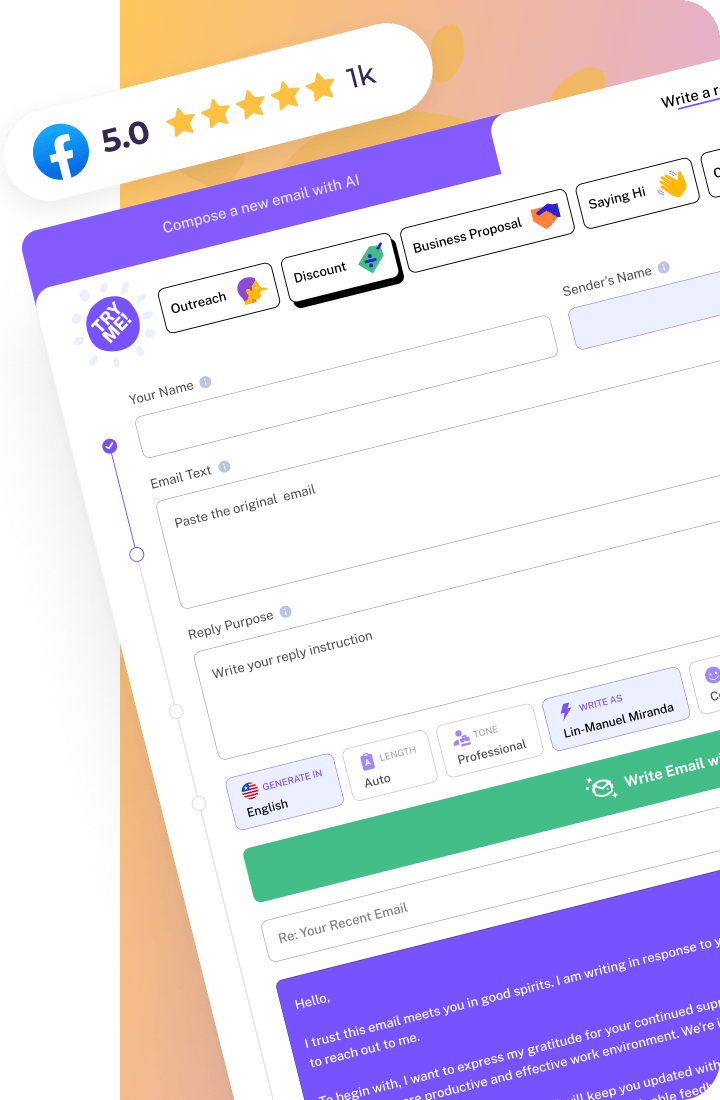
Personalization at scale has traditionally been a challenge—how do you make thousands of emails feel individually crafted? This is where AI technology has made tremendous advances. WriteMail.ai and similar tools can analyze your contact data and communication history to generate personalized subject lines that maintain an authentic voice while dramatically reducing the time investment.
Here’s how AI personalization can transform your email strategy:
- Analyze past interactions to determine the appropriate level of formality and tone for each recipient
- Identify relationship-specific references that can be naturally incorporated into subject lines
- Generate variations of personalized subject lines for A/B testing
- Scale personalization across large contact databases while maintaining consistency in your brand voice
- Learn from performance data to continuously improve personalization strategies
The key is to use AI as a tool that enhances your personal touch rather than replacing it entirely. When you review AI-generated subject lines, ask yourself: “Does this sound like something I would actually write to this person?” If not, make adjustments to ensure the personalization feels genuine.
Remember, the goal of personalization isn’t just to get your email opened—it’s to establish and strengthen relationships with your recipients. When you craft subject lines that truly speak to the individual on the other end, you’re not just improving your open rates; you’re building the foundation for meaningful, long-term professional connections.
In my experience, the most successful email communicators view personalization as an ongoing practice rather than a one-time tactic. Start with these strategies, measure your results, and continuously refine your approach based on what resonates most with your specific audience.

Creating Urgency Without Appearing Spammy
When you’re trying to prompt action through email, creating a sense of urgency can dramatically increase your response rates. But there’s a fine line between motivating your recipient and coming across as manipulative. I’ve found that the best urgent subject lines feel natural and honest rather than forced or artificial.
The difference between legitimate urgency and manipulative tactics
Legitimate urgency stems from genuine time constraints or opportunities that benefit the recipient. Manipulative urgency, on the other hand, manufactures false deadlines or exaggerates consequences to trick people into opening emails.
Here’s how you can tell the difference:
- Legitimate urgency: Based on real deadlines, limited availability, or time-sensitive opportunities that provide actual value to the recipient
- Manipulative urgency: Creates artificial scarcity, uses excessive capitalization or punctuation, or employs misleading claims about timeframes
When you’re crafting urgent subject lines, always ask yourself: “Is this deadline or opportunity genuinely time-sensitive?” If not, you’re likely venturing into manipulative territory that could damage trust.
Time-sensitive language that works: phrases that create action without triggering spam filters
The words you choose make all the difference between an effective urgent subject line and one that triggers spam filters. I recommend using subtle urgency triggers rather than obvious spam phrases.
Try these professional phrases that convey urgency without raising red flags:
- Effective phrases: “Timely request,” “Response needed by [specific date],” “Quick update on [relevant topic],” “Last chance for [genuine opportunity],” “Closing soon”
- Phrases to avoid: “ACT NOW!!!”, “URGENT!!!!”, “Don’t miss out!”, “Final notice,” “Limited time only!!!”
Notice how the effective phrases specify why something is urgent rather than just declaring it to be so? When you provide context for your urgency, recipients are more likely to perceive it as legitimate.
Comparing Spammy vs. Professional Urgency
LAST CHANCE!!! 24 HOURS LEFT TO CLAIM YOUR DISCOUNT!!!
Your conference registration discount expires tomorrow
In the second example, you can see how I’ve created genuine urgency by referencing a specific deadline with a clear benefit (saving $200), while personalizing it to the recipient’s needs. This approach feels helpful rather than pushy.
Data-backed timing strategies: When to use urgency in your email campaigns
Urgency isn’t appropriate for every email, and timing matters considerably. In my experience testing urgency across client campaigns, I’ve consistently seen these patterns:
- The recipient already knows you: Urgency works significantly better with warm leads or existing contacts compared to cold outreach.
- There’s a genuine deadline: Product launches and event registrations convert at noticeably higher rates when urgent language aligns with actual deadlines
- Used sparingly: Using urgent language sparingly – in roughly 10-15% of your emails – tends to preserve its impact rather than dilute it.
- Paired with value: Urgent emails that clearly articulate benefits consistently outperform those focused only on scarcity.
I’ve found that using urgency in follow-up emails works particularly well when you reference previous communications. For example, “Following up on my email about your upcoming deadline” feels more legitimate than starting with urgency in your first contact.
Using AI to test multiple urgency approaches and identify what resonates with your specific audience
What creates effective urgency varies dramatically by industry, audience, and context. This is where AI tools can provide significant advantages in testing and optimizing your approach.
When you use AI to help with urgent subject lines, you can:
- Generate variations: Create multiple urgency-based subject lines with subtle differences in tone, phrasing, and deadline framing
- Predict performance: Some AI tools can analyze your specific audience’s past engagement patterns to predict which urgency approaches might resonate best
- Analyze sentiment impact: Advanced tools can evaluate how different urgency phrases might affect recipients’ perception of your message
- Test timing sensitivity: Identify the optimal time windows for sending urgent emails to your particular audience
For example, when you’re working with AI to create urgent subject lines, you might discover that your B2B audience responds better to “Time-sensitive proposal” than “Last chance offer,” even though both convey urgency.
Remember that creating effective urgency is about respecting your recipients’ intelligence. When you combine genuine time constraints with clear value propositions, you’ll find that you can motivate action without resorting to manipulative tactics that damage your professional reputation.
“The best urgent emails don’t just create pressure—they provide a compelling reason why acting now benefits the recipient more than waiting.”
By mastering the art of professional urgency, you’ll notice higher response rates while maintaining—or even enhancing—your professional credibility.
Industry-Specific Subject Line Formulas That Deliver Results
When you’re sending emails in specific industries, using the right subject line formula can significantly impact your open rates. I’ve found that different sectors respond to different approaches, so let’s explore what actually works across various professional contexts.
B2B Email Subject Line Best Practices
In the B2B space, your subject lines need to strike a balance between professionalism and compelling value. Research from Mailchimp suggests that B2B emails with subject lines that clearly articulate a specific benefit tend to achieve meaningfully higher open rates than generic announcements.
When you’re crafting B2B subject lines, consider these proven approaches:
- Problem-Solution Format: “[Problem] – Our [Solution] Increases [Metric] by [Percentage]”
- Resource Offering: “Resource: [Specific Tool/Guide] for [Target Role]”
- Industry Insight: “[Industry] Trend Report: What We Learned from [Data Point]”
- Direct Value Proposition: “Cut [Pain Point] Costs by [Percentage] with [Solution]”
According to Experian’s email marketing study, B2B emails with statistics in the subject line see a 45% higher open rate than those without quantifiable data. This is likely because busy professionals appreciate subject lines that immediately communicate concrete value.
Customer Service and Support Email Subject Line Frameworks
When you’re handling customer service communications, clarity and reassurance are your top priorities. Your subject lines need to immediately signal that you’re addressing the customer’s concern and working toward resolution.
For customer service emails, I recommend these proven frameworks:
- Confirmation Format: “Your [Issue Type] Has Been Received – Next Steps”
- Resolution Update: “Update on Your [Product/Service] Request #[Reference Number]”
- Problem Solved: “Resolution: Your [Product/Service] Issue Has Been Fixed”
- Follow-up Check-in: “How’s Your [Product/Service] Working After Our Recent Fix?”
In my experience – and consistent with what Zendesk has reported – customer service emails with specific reference numbers in the subject line tend to get opened at significantly higher rates than those without such identifiers. It makes intuitive sense: a ticket number signals “this is about your issue.”
Your customers appreciate this level of specificity because it signals organization and attention to their particular case.
Industry-Specific Subject Line Examples
Finance: “Q3 Investment Report: Your Portfolio Outperformed Market by 12%”
Wealth Management Healthcare: “Your Appointment Confirmation: Dr. Lewis, Sept 15, 10:00 AM”
Patient Services Team Technology: “Security Alert: Action Required for Your Cloud Storage Account”
Sales and Marketing Email Subject Line Templates
When you’re focused on sales and marketing efforts, your subject lines need to be particularly compelling without crossing into “salesy” territory. According to Campaign Monitor, personalized subject lines generate 29% higher open rates in marketing emails, while those addressing a specific pain point see 22% higher click-through rates.
Here are high-performing templates you can adapt for your sales and marketing emails:
- Question Format: “Are [Pain Point] Challenges Holding Your [Business Type] Back?”
- Results Spotlight: “How [Company Name] Achieved [Specific Result] in [Timeframe]”
- Limited Opportunity: “Last 5 Spots: [Event/Offer] for [Industry] Professionals”
- Audience Validation: “For [Job Title] Leaders Looking to [Achieve Goal]”
- Social Proof: “Why [Number] [Industry] Leaders Chose [Solution] This Year”
I’ve seen particularly strong results with the “question format” approach when you’re addressing a specific pain point that resonates with your audience. According to Yes Lifecycle Marketing, question-based subject lines receive 10-15% higher open rates when they identify a problem the recipient is actively trying to solve.
Using AI to Generate Industry-Appropriate Subject Lines
When you’re sending numerous emails across different contexts, manually crafting perfect subject lines for each can be time-consuming. Many AI email tools now offer specialized templates tailored to your specific industry context, helping you generate subject lines that align with industry expectations and best practices.
The tool analyzes successful patterns across industries to suggest subject lines that:
- Incorporate industry-specific terminology that resonates with your audience
- Follow structural patterns that have proven effective in your sector
- Balance professionalism with the appropriate level of urgency based on industry norms
- Avoid overused phrases that may trigger industry-specific skepticism
I’ve found that the most effective approach is to use AI-generated templates as a starting point, then customize them with your specific details and knowledge of your audience. This hybrid approach gives you the best of both worlds: data-driven structure with your personal expertise.
Remember that while general email principles apply across industries, your subject lines should reflect the specific communication style, priorities, and pain points of your sector. When you match your subject line formula to your industry’s expectations, you dramatically increase your chances of getting that crucial open.
A/B Testing Strategies to Continuously Improve Open Rates
If you’re serious about maximizing your email effectiveness, I can’t stress enough the importance of A/B testing your subject lines. This data-driven approach has transformed my own email marketing results, and I’m confident it will do the same for you. Let’s explore how you can implement a systematic testing strategy that leads to consistently higher open rates.
Setting up effective A/B tests: Variables worth testing in subject lines
When you’re setting up your first A/B test, it’s tempting to change multiple elements at once. However, I strongly recommend that you isolate a single variable for each test. This way, you’ll know exactly what caused the difference in performance.
High-impact variables to test:
- Length: Compare a 5-word subject line against a 9-word version
- Personalization: Test including the recipient’s name versus no personalization
- Question format versus statement format
- Specific versus vague language
- Including numbers versus no numbers
- Emotional appeal versus logical appeal
- Urgency indicators versus neutral timing
I recommend starting with one of these variables that you believe will have the biggest impact on your specific audience. For example, if you’re writing to busy executives, testing subject line length might yield particularly valuable insights.
Sample size and statistical significance: How to know when your results are meaningful
One of the most common mistakes I see is drawing conclusions from tests with insufficient data. To avoid this pitfall, ensure your sample size is large enough to produce statistically significant results.
Guidelines for statistical significance:
- Aim for at least 1,000 recipients per variation for reliable results
- Look for a confidence level of at least 95% before declaring a winner
- Be wary of minor differences (less than 1-2% in open rates) as they might be statistical noise
- Run your test for a complete business cycle (often one week) to account for timing variations
If you’re working with smaller lists, you may need to be more patient and accumulate data over multiple sends before making definitive decisions. Remember, it’s better to wait for conclusive results than to make changes based on incomplete data.
Example A/B Test Analysis
Version A: “Q3 Report Now Available”
Version B: “See how we performed against competitors in Q3”
Analysis: Version B outperformed Version A with a 32% higher open rate because it focused on the specific value proposition (competitive comparison) rather than simply announcing availability. The curiosity factor of wanting to see how the company stacked up against competitors created a stronger psychological trigger. Notice how both emails contained identical content—only the subject line changed, demonstrating its significant impact on engagement.
Implementing a continuous improvement cycle for subject line optimization
The most successful email marketers I know don’t treat A/B testing as a one-off activity—they build it into their regular workflow. Here’s how you can implement a continuous improvement cycle:
Four-step optimization process:
- Hypothesize: Formulate a clear hypothesis about what might improve open rates (e.g., “Including a number in the subject line will increase opens by at least 10%”)
- Test: Design and implement your A/B test with appropriate sample sizes
- Analyze: Evaluate results for statistical significance and identify insights
- Implement and iterate: Apply winning approaches to future emails and develop new hypotheses based on what you learned
I recommend maintaining a testing calendar where you systematically explore different variables over time. This methodical approach allows you to build a comprehensive understanding of what resonates with your specific audience, rather than relying on general best practices that might not apply to your situation.
Leveraging AI-powered analytics to identify patterns across successful subject lines
While manual testing is valuable, you can accelerate your learning by leveraging AI tools that analyze patterns across all your email campaigns. These tools can identify subtle correlations between subject line elements and performance that might escape human observation.
Advanced AI analysis capabilities:
- Identifying optimal word combinations specific to your audience
- Determining the ideal emotional tone for different message types
- Recommending subject line structures based on historical performance
- Automatically incorporating winning elements into new subject line suggestions
- Detecting time-based patterns in open rate performance
For example, AI analysis might reveal that your Tuesday morning emails perform better with action-oriented subject lines, while your Friday communications get higher open rates with more conversational tones. These nuanced insights can significantly improve your email performance.
AI-powered email platforms can automatically analyze your historical email performance and generate subject line variations that incorporate elements proven to work with your specific audience. This approach combines the benefits of data-driven decision-making with creative generation, saving you time while improving results.
Remember, the goal of A/B testing isn’t just to find a single “perfect” subject line formula, but rather to develop a deeper understanding of your audience’s preferences and behaviors. By implementing these testing strategies consistently, you’ll build a powerful knowledge base that helps you craft increasingly effective email communications over time.

Common Subject Line Mistakes and How to Avoid Them
I’ve analyzed thousands of emails over the years, and I can tell you that even the most carefully crafted email becomes worthless if its subject line sends it straight to the trash folder. Let me walk you through the most common subject line pitfalls I’ve observed and how you can sidestep them to ensure your emails actually get read.
Spam Trigger Words and Phrases That Harm Deliverability
Email filters have become increasingly sophisticated, but they still rely on certain patterns to identify potential spam. When you use these trigger words, you’re essentially waving a red flag at spam filters.
Words and phrases to avoid:
- Financial promises: “Get rich,” “Make money,” “Cash bonus,” “Free investment”
- Urgency overload: “Act now,” “Limited time,” “Once in a lifetime,” “Don’t miss this”
- Excessive symbols: Multiple exclamation marks (!!!), dollar signs ($$$), or ALL CAPS
- Pushy sales language: “Buy now,” “Order today,” “Best price”
- Unnecessary superlatives: “Amazing,” “Incredible,” “Revolutionary”
- Clickbait phrases: “You won’t believe,” “Shocking,” “Secret of”
Remember, modern spam filters don’t just look at individual words—they analyze combinations and patterns. I’ve found that context matters tremendously. For example, “Free consultation” in a business context is generally acceptable, while “Free money” will almost certainly trigger filters.
Overpromising and Credibility Issues: Why Honesty Matters More Than Clickbait
I’ve learned through testing that while clickbait might occasionally boost your open rates in the short term, it devastates your long-term engagement. When you overpromise in your subject line and underdeliver in your content, you damage trust and diminish future open rates.
Common overpromising mistakes:
- Fake personalization: “I was just thinking about you” (when you clearly weren’t)
- False urgency: “Last chance” (when it’s not)
- Misleading offers: “Free product” (when significant conditions apply)
- Hyperbole: “The most important email you’ll read this year”
Instead, aim for genuine value proposition in your subject lines. When you accurately represent your email’s content, you build credibility over time, which is infinitely more valuable than a one-time open.
Before and After Examples: URGENT: Don’t miss this AMAZING opportunity to transform your business INSTANTLY!!!
The above subject line has multiple issues: excessive capitalization, overuse of exclamation marks, spam trigger words (“URGENT,” “AMAZING”), and it grossly overpromises what’s actually in the email.
Productivity software demo: Available next week?
This revised version clearly states what the email is about, sets appropriate expectations, and is much more likely to both reach the inbox and be opened by interested recipients.
Technical Mistakes: Character Encoding Issues, Formatting Problems, and Length Considerations
Even when you avoid spam triggers and craft honest subject lines, technical issues can still undermine your efforts. Here are some technical pitfalls I’ve encountered that you should watch out for:
Common technical mistakes:
- Improper character encoding: Special characters (like ©, ™, or non-English characters) can appear as gibberish if not properly encoded
- Excessive length: Desktop email clients typically display 50-60 characters, while mobile devices show only 25-30 characters
- Poor mobile optimization: Not considering how your subject line appears on smartphones (where over 56% of emails are opened)
- Inconsistent formatting: Mixing styles or using HTML in subject lines that won’t render properly
- Broken personalization: Subject lines with errors like “Hello {FIRST_NAME}” when merge fields fail
I always recommend that you test your subject lines across multiple devices and email clients before sending important communications. What looks perfect in Gmail might appear very different in Outlook or on an iPhone.
How AI Writing Assistants Can Flag Potential Issues Before Sending
While manual checking is valuable, leveraging technology can help you avoid subject line mistakes more systematically. AI writing tools can analyze your subject lines for potential issues before you hit send.
AI-powered subject line checks:
- Spam score assessment: Evaluating how likely your subject line is to trigger spam filters
- Readability analysis: Ensuring optimal clarity and comprehension
- Sentiment detection: Identifying potentially negative or inappropriate tones
- Length optimization: Suggesting adjustments based on ideal character counts
- Personalization verification: Confirming that personalization elements will work correctly
AI writing assistants can automatically scan your subject lines and flag potential deliverability issues, while also suggesting improvements based on data about what works. When you’re sending important emails, this extra layer of verification can make the difference between reaching your recipient’s inbox or disappearing into the spam folder.
Learning From Your Mistakes: Building Better Subject Line Habits
The best way to improve your subject line skills is to learn from your own data. I encourage you to keep track of which subject lines perform well and which ones fail. Over time, you’ll develop an intuitive sense for what works with your specific audience.
When you notice a particularly successful or unsuccessful subject line, ask yourself:
- What specific elements might have contributed to this outcome?
- How did this subject line differ from my usual approach?
- What emotions or responses was I trying to evoke?
- How well did the subject line align with the email content?
By systematically avoiding spam triggers, maintaining honest representations of your content, addressing technical considerations, and leveraging technology to check your work, you’ll develop subject lines that consistently get your emails opened, read, and acted upon.
“The subject line is a promise to your reader. Make it honest, make it clear, and make it worth their click.” — Email marketing wisdom I’ve found to be invariably true
Conclusion
Your subject lines live or die on specificity. Not cleverness, not urgency tricks, not “power words” from a listicle. Specific, relevant language that tells your recipient exactly why this email matters to them right now.
Just using someone’s name lifts open rates by 26% according to Campaign Monitor. Pair that with a concrete benefit and a clear indication of what’s inside, and you’ve moved from hoping for opens to earning them.
Even small improvements compound. If you lift your open rate by just 5% across a hundred sends, that’s dozens of conversations that would have never happened.
Here’s what I’d do starting from scratch: pick your next important email and rewrite the subject line three times before sending it. Make each version shorter and more specific than the last. Track which approach gets the best response from your specific recipients over the following week.
You don’t need to overhaul every email tomorrow. But start treating subject lines as the first impression they are: three seconds, seven words, one shot at relevance. Your open rates will reflect it.
If you want to generate and test variants faster, that’s what WriteMail.ai is built for. But the strategy, knowing what to say and to whom, that’s the part no tool replaces.